
Best AI Decluttering Tools for Real Estate Photos: We Pressure-Tested 4 Apps
AI decluttering tools promise one-click cleanup, but do they actually deliver? We tested four apps on three difficult real-estate photos to see which could remove clutter and furniture without changing the property.
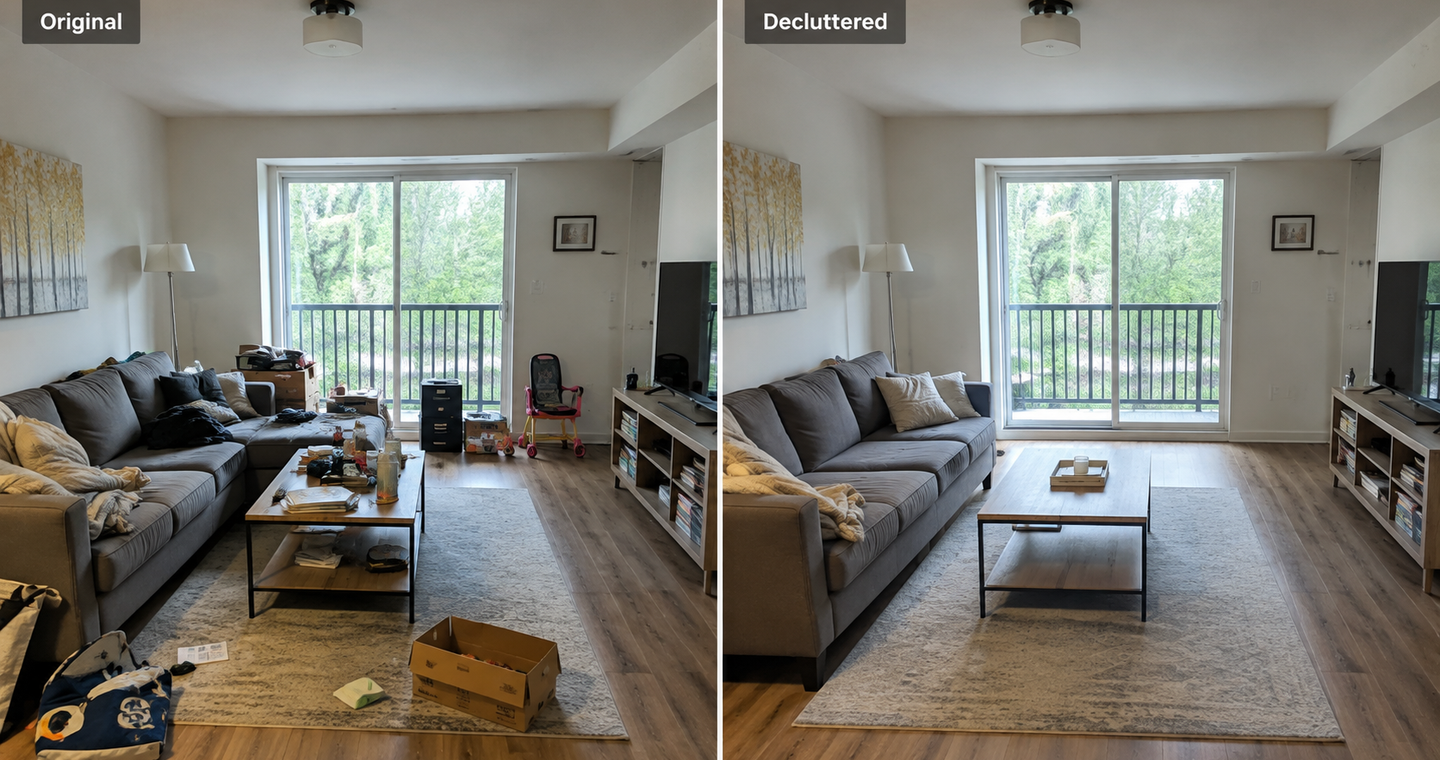
AI decluttering tools make the job sound incredibly easy: upload a photo, click a button, and get a perfectly clean or completely empty room seconds later.
Our test showed that the reality is often different.
Most of these tools overpromise and underdeliver once you move away from perfect demo photos and give them genuinely difficult real-estate images. Some left furniture behind even when we selected the strongest decluttering option. Others removed the objects but changed flooring, walls, tiles or windows in the process.
And that is a much bigger problem in real estate than simply producing an imperfect AI image.
Instead of testing these tools on clean demo rooms, we gave VisuGenie, Collov, PhotoClear and ReimagineHome three very different real-world tasks:
- a cluttered basement that needed to be completely emptied so buyers could understand the space;
- an old kids room where the furniture needed to disappear;
- a messy living room that needed cleaning up without removing the furniture.
The goal was simple: remove what we asked you to remove and leave everything else alone.
That turned out to be harder than it sounds.
Why we tested difficult real-estate photos
When someone searches for a tool to declutter photos, they may actually want very different things.
Clean up a room: Remove toys, clothes and personal belongings while keeping the furniture.
Remove furniture: Turn a furnished room into an empty room.
Clear a difficult space: Remove furniture and clutter when large sections of the original floor and walls are hidden.
Removing a small object is relatively simple. Removing a large sofa or cabinet requires the AI to reconstruct whatever was hidden behind it.
Research into automated furniture removal has highlighted this challenge: reconstructing large hidden areas can introduce geometric inconsistencies when the model does not properly understand the room layout. Research
That is why we wanted to test the tools on genuinely difficult images rather than polished demonstration photos.
| Tool | Basement | Kids room | Living room | Ease of use | Verdict |
|---|---|---|---|---|---|
| VisuGenie | Excellent | Excellent | Excellent | Very easy | Best overall |
| ReimagineHome | Good, left washing machine | Very good, minor window change | Excellent | Requires prompting | Strong alternative |
| PhotoClear | Incomplete clearing | Tidied rather than emptied | Good | Very easy | Best for simple cleanup |
| Collov | Changed flooring and tiles | Changed flooring and walls | No clear cleanup-only option | Fast, but less intuitive | Best for speed |
Test 1: Messy basement
The basement was the hardest test.
The goal was to completely clear the room so a buyer could understand the space itself. Because so much of the original floor and walls was hidden behind furniture and clutter, the AI had to reconstruct substantial parts of the image.
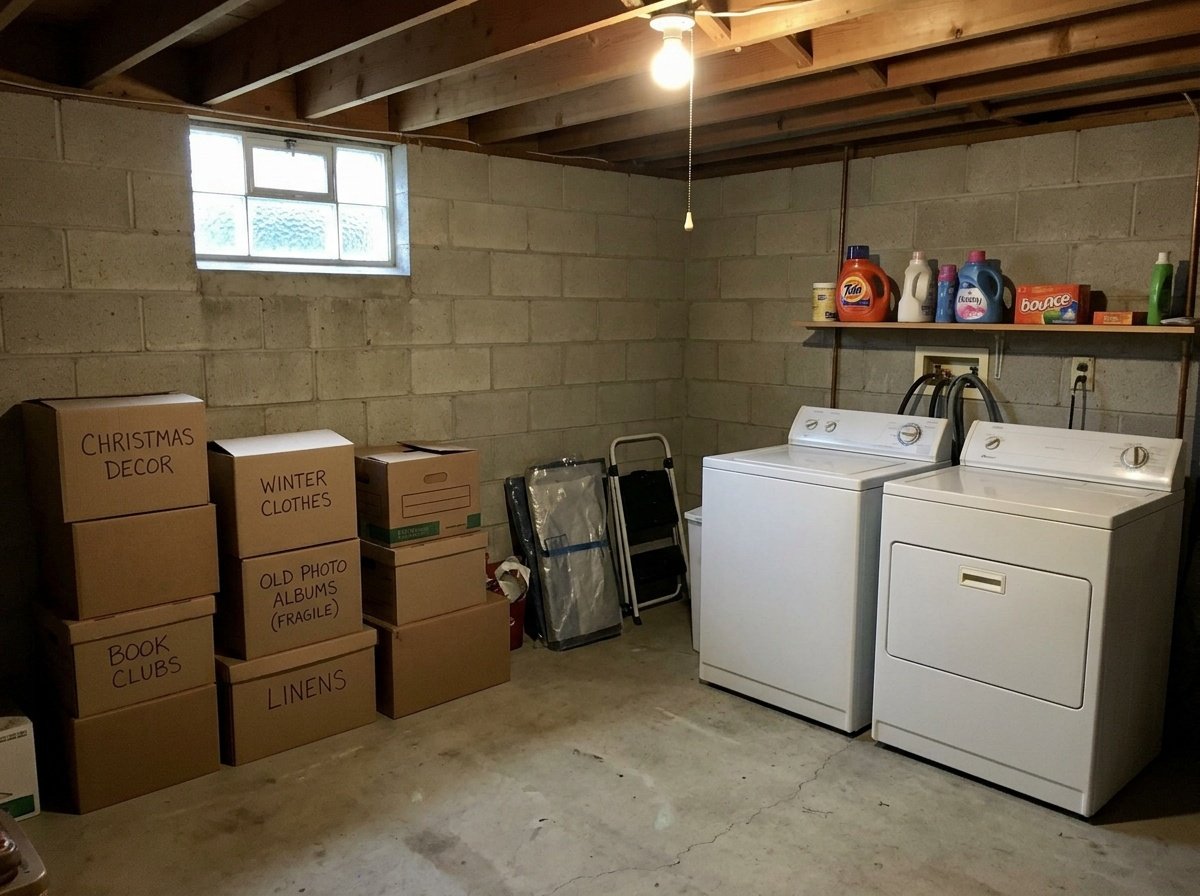
VisuGenie
VisuGenie handled the basement extremely well.
It cleared the difficult space while keeping the newly visible parts of the room believable. The reconstructed areas did not immediately feel strange or artificially redesigned.
This was one of the strongest results in the entire test.
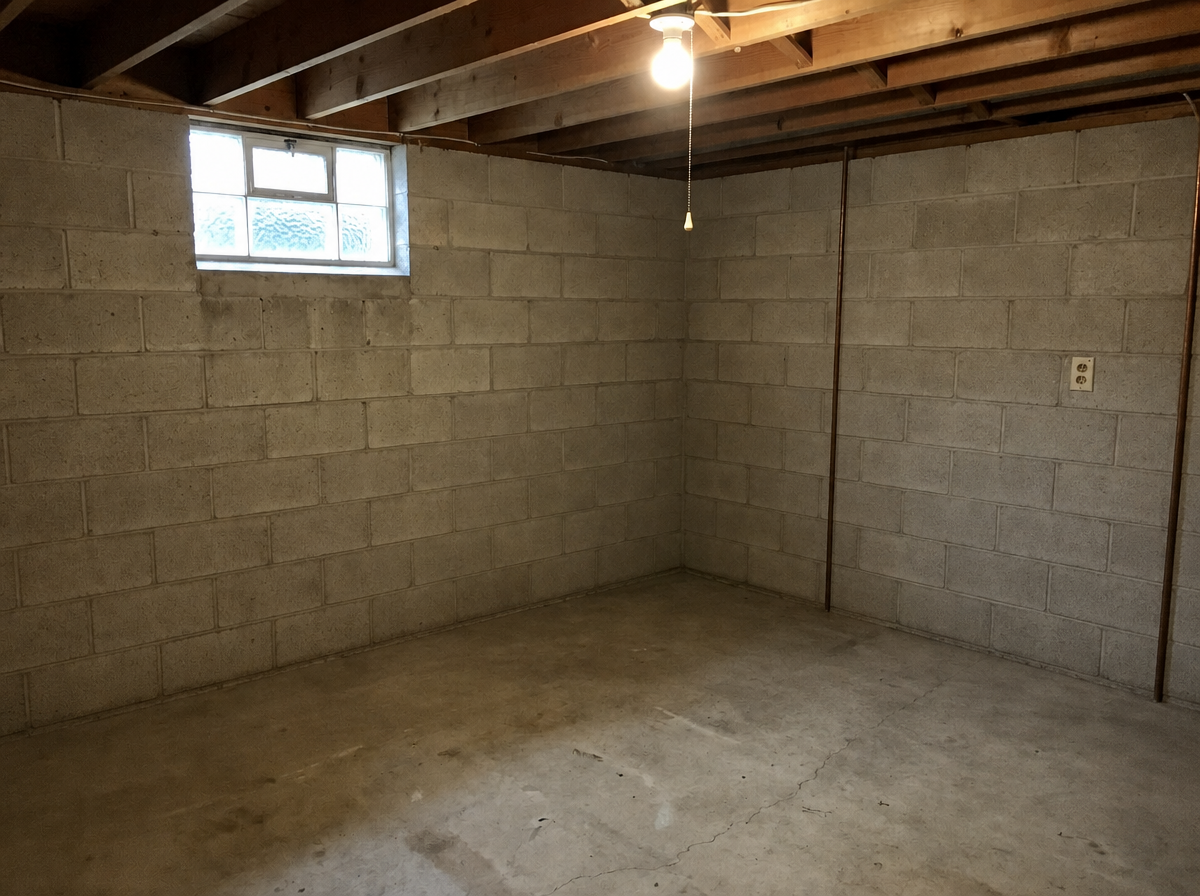
Collov
Collov was extremely quick and removed a large amount of clutter.
The problem was what happened underneath it. Parts of the flooring and tiles changed compared with the original photograph.
The result initially looked clean, but for real-estate use this kind of change needs careful attention because the AI is no longer simply removing objects.
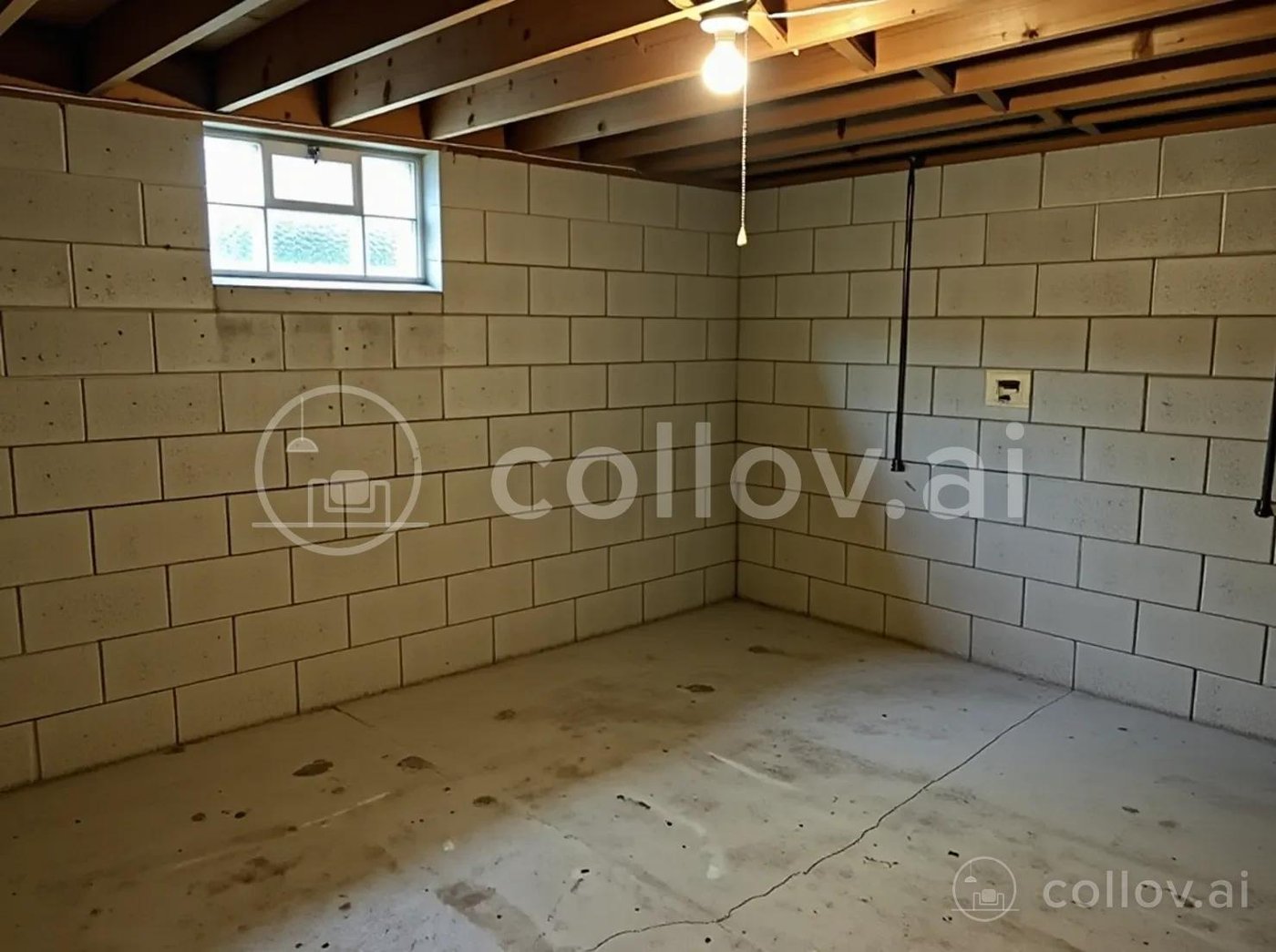
PhotoClear
PhotoClear was very easy to use, but the basement exposed its limitations in our test.
Even using the strongest clearing mode, some objects remained in the image.
The room looked cleaner, but it did not achieve the completely empty space we were trying to create.
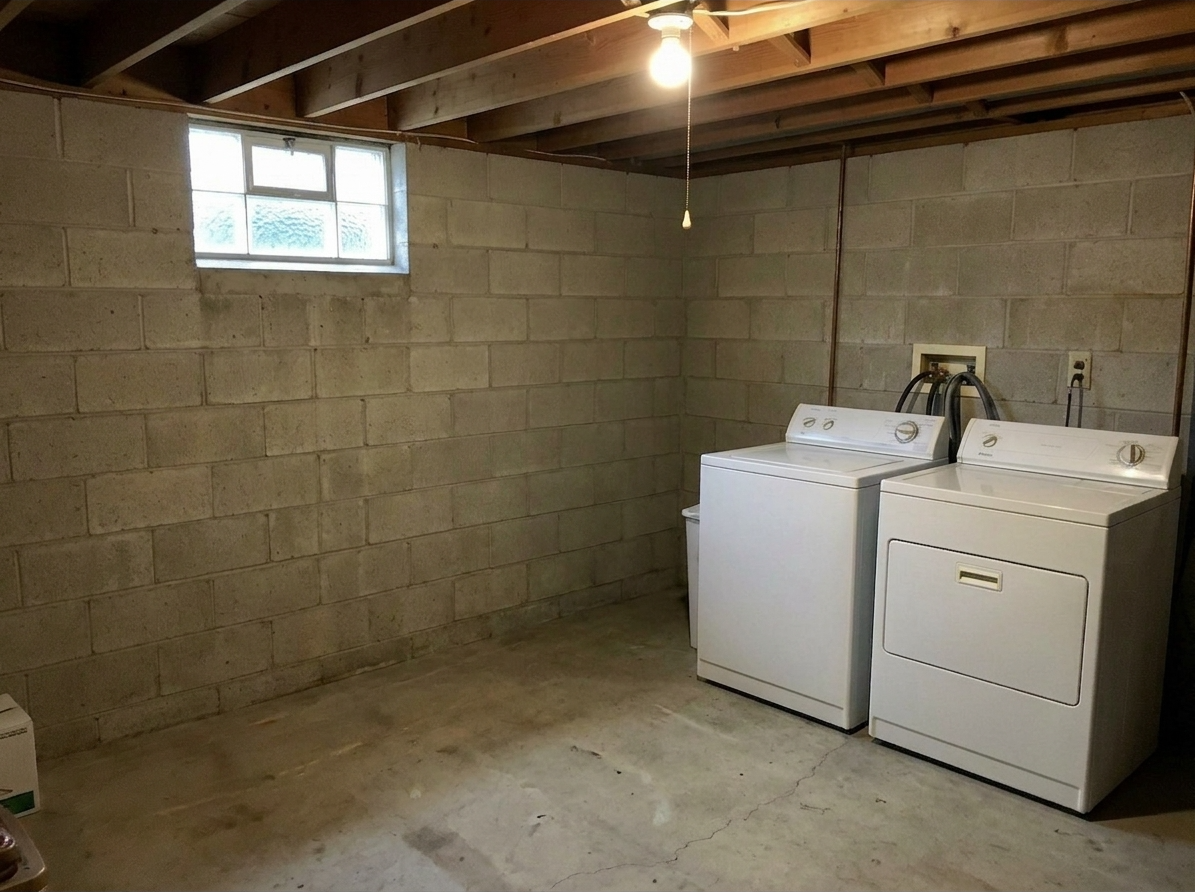
ReimagineHome
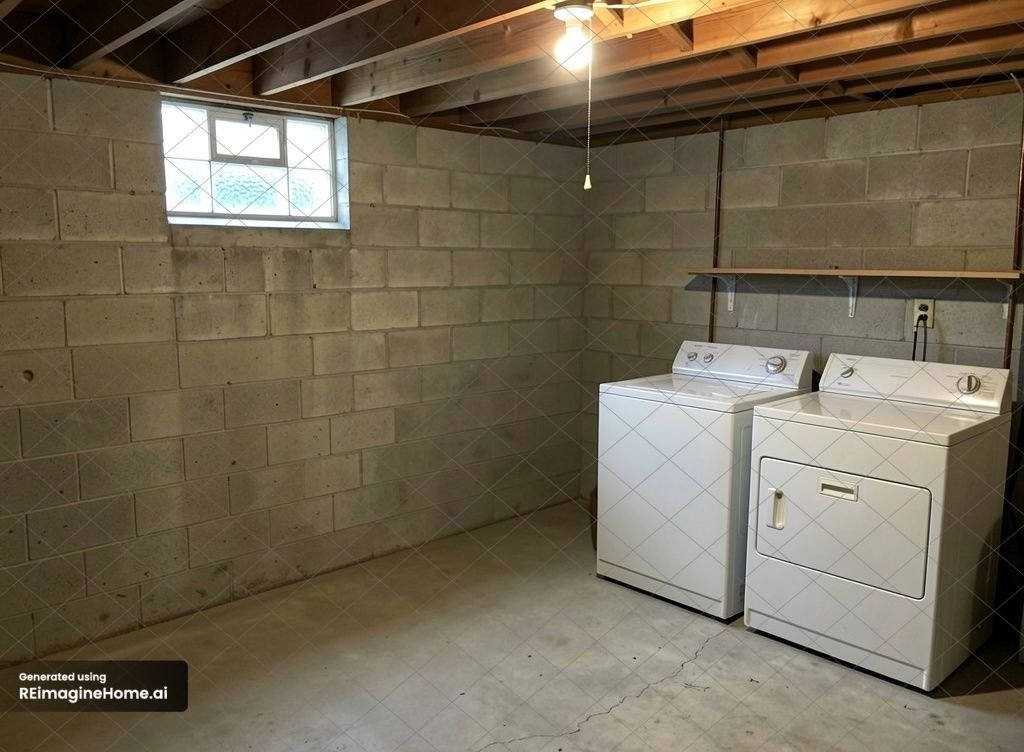
ReimagineHome also produced a good-looking basement result.
However, it left the washing machine in place.
If the goal had simply been to reduce clutter, that might have been acceptable. Our task was specifically to reveal the empty space, so it did not completely fulfil the brief.
Test 2: Old kids room
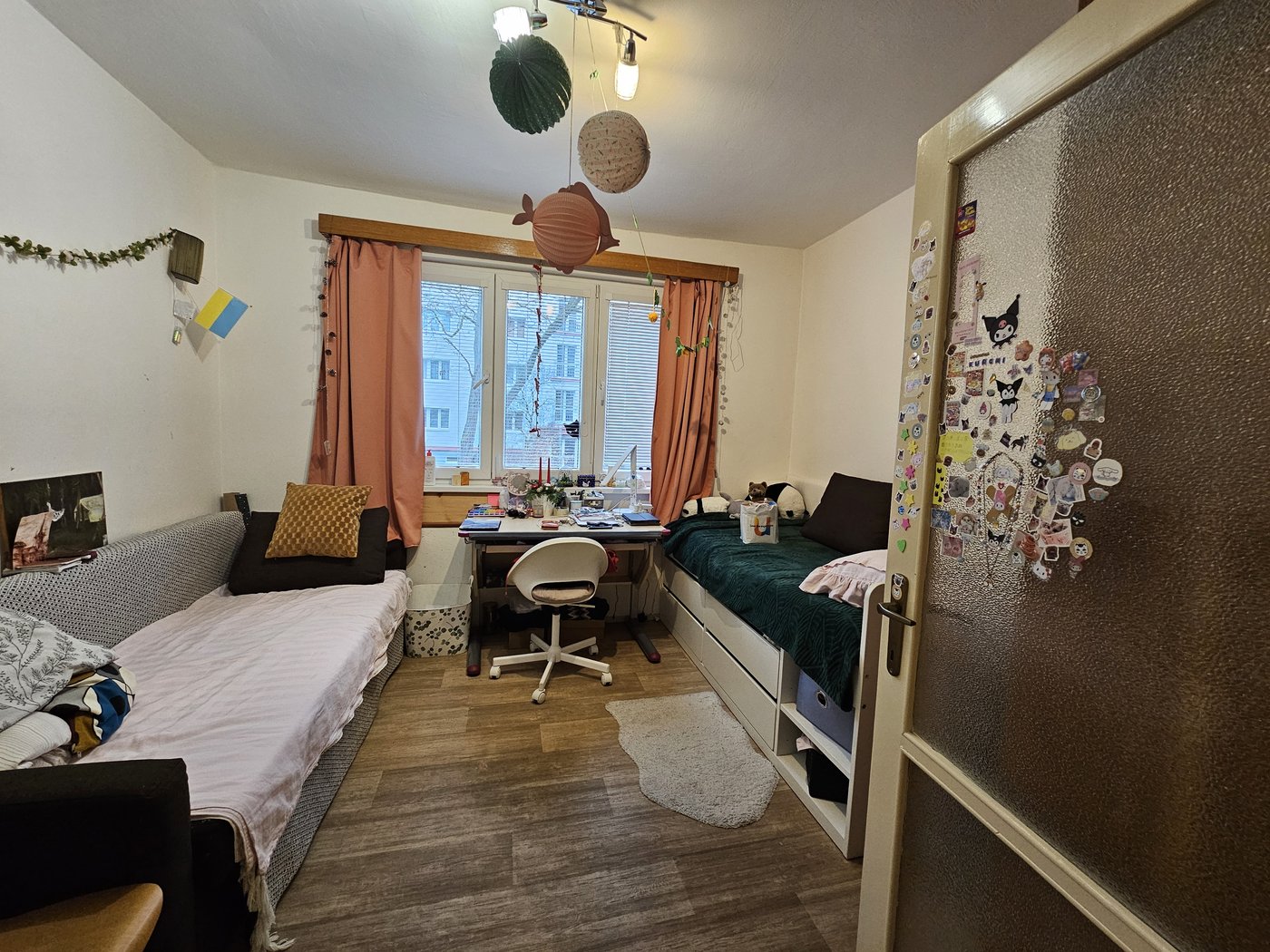
The second test was an old kids room.
This time, the goal was specifically to remove the furniture and reveal the empty room without changing its permanent features.
VisuGenie
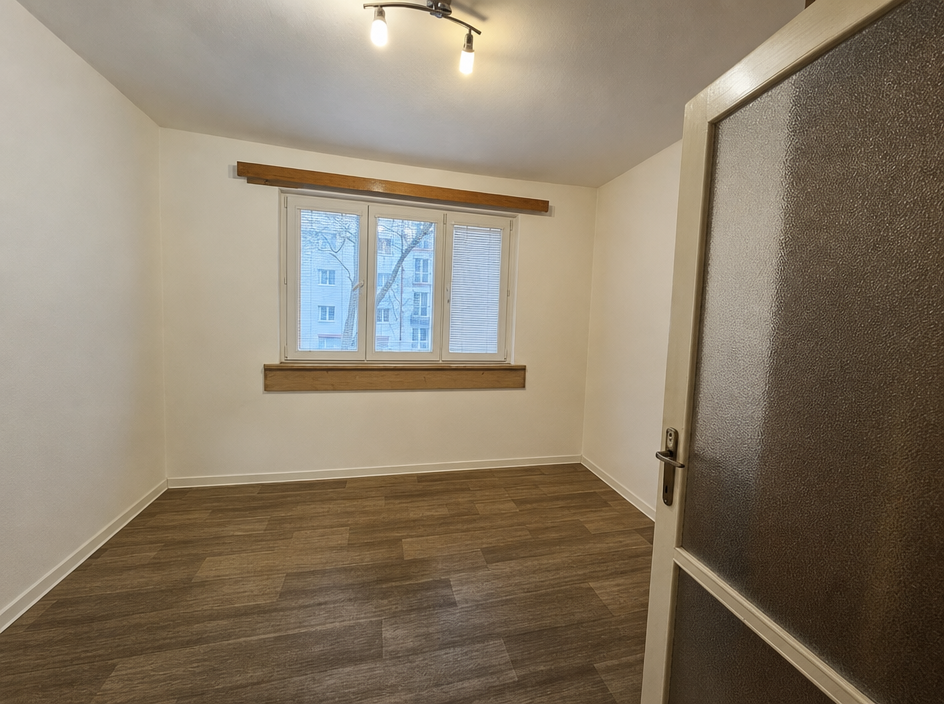
VisuGenie again delivered a very strong result.
The furniture disappeared and the resulting empty room looked clean and believable. Importantly, it still felt like the same property rather than a newly generated interpretation of it.
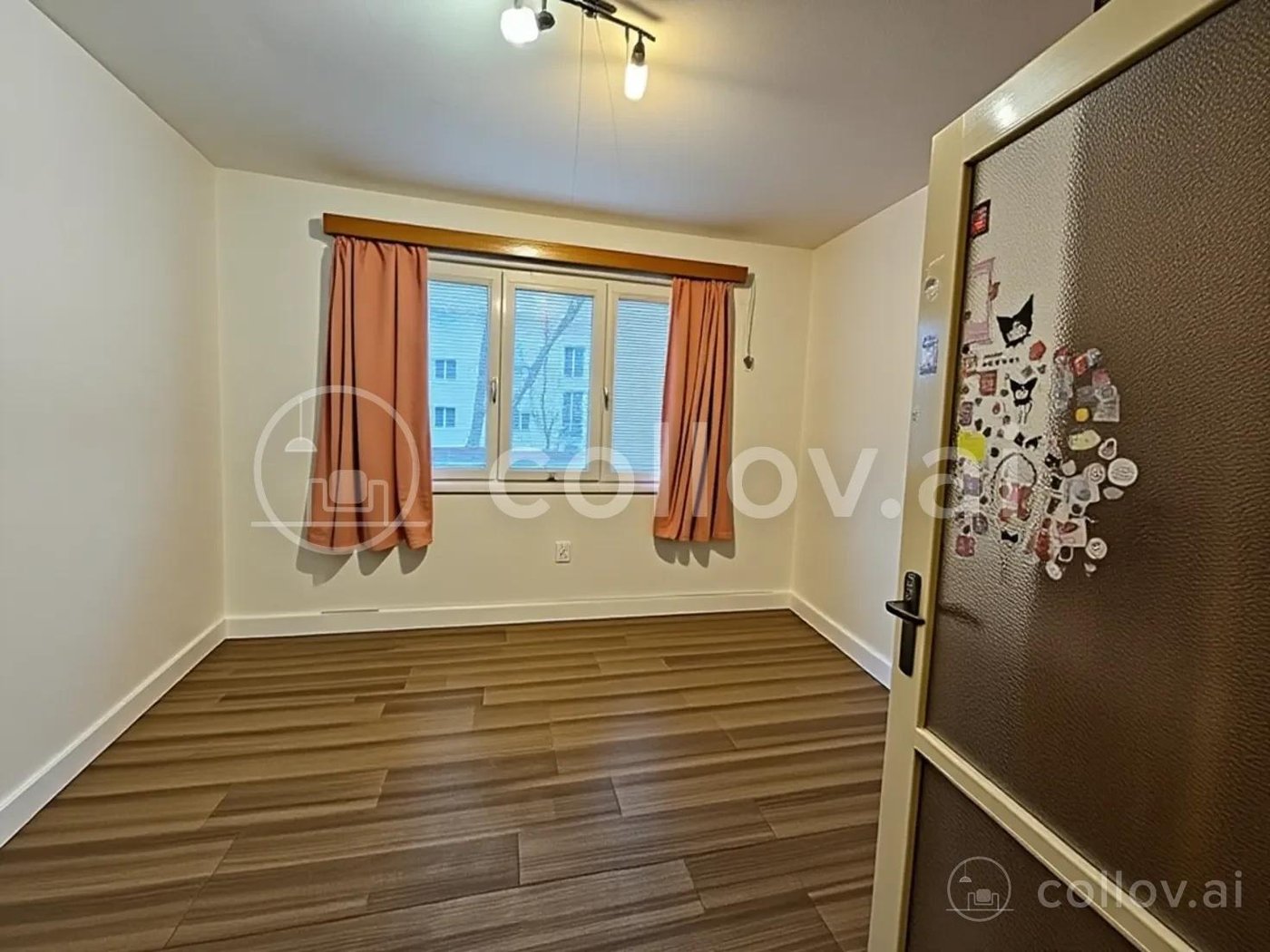
Collov
Collov removed much of what was inside the room, but we saw the same problem as in the basement.
The flooring and parts of the walls appeared to change compared with the original photograph.
That made the result less trustworthy for a real-estate listing, even though the cleared room initially looked good.
PhotoClear
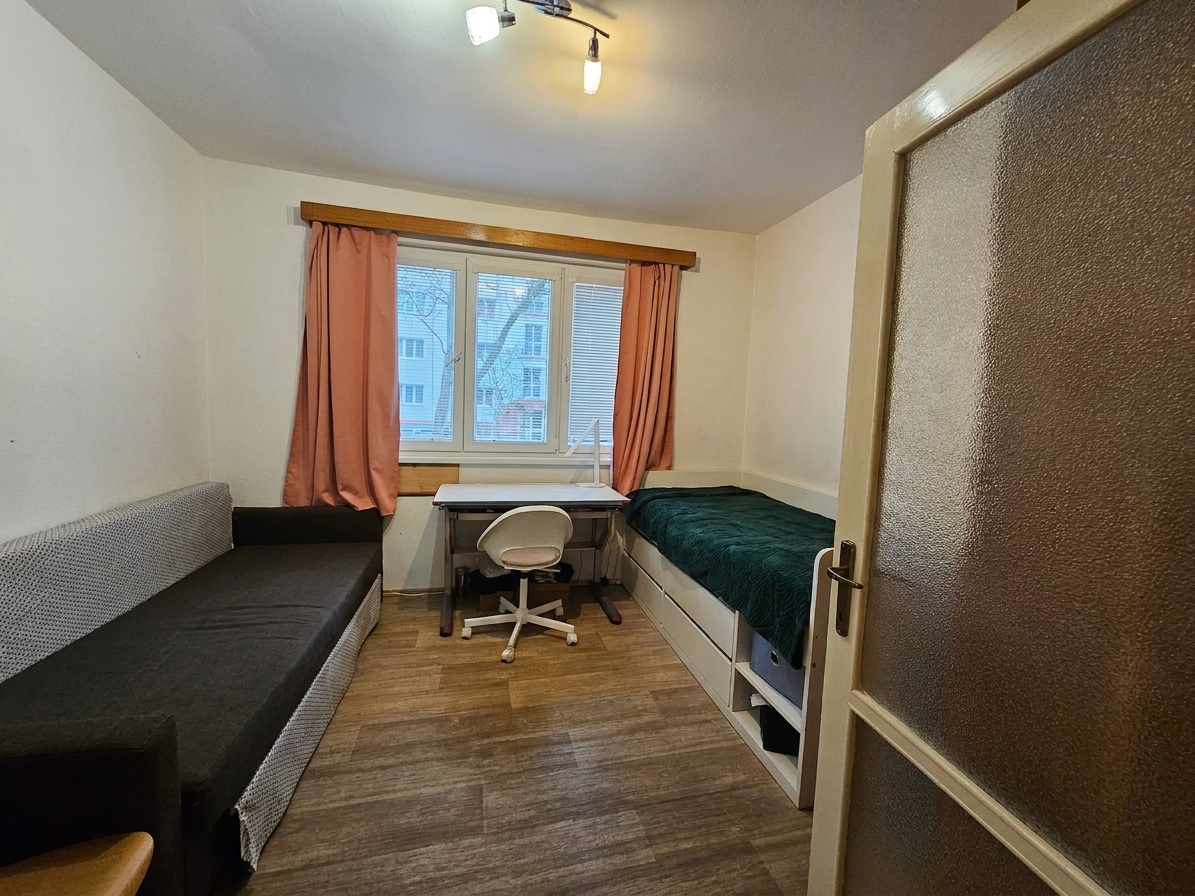
PhotoClear behaved differently from what we expected.
Even on the strongest clearing option, it mostly cleaned the room rather than removing all of the furniture.
The output itself was not bad, but it did not complete the task we had set.
ReimagineHome
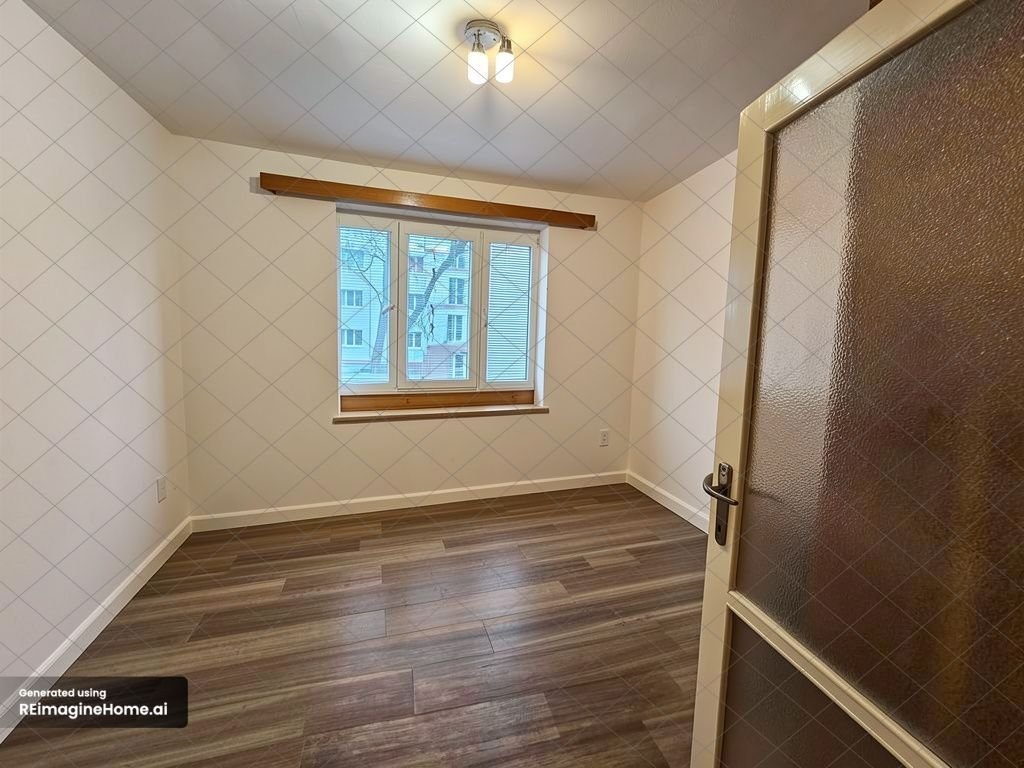
ReimagineHome did a nice job overall.
The furniture was removed and the resulting room looked visually convincing.
However, when we compared the output with the source image, the window had changed slightly.
It was a small detail, but permanent property features matter in real-estate photography.
Test 3: Messy living room
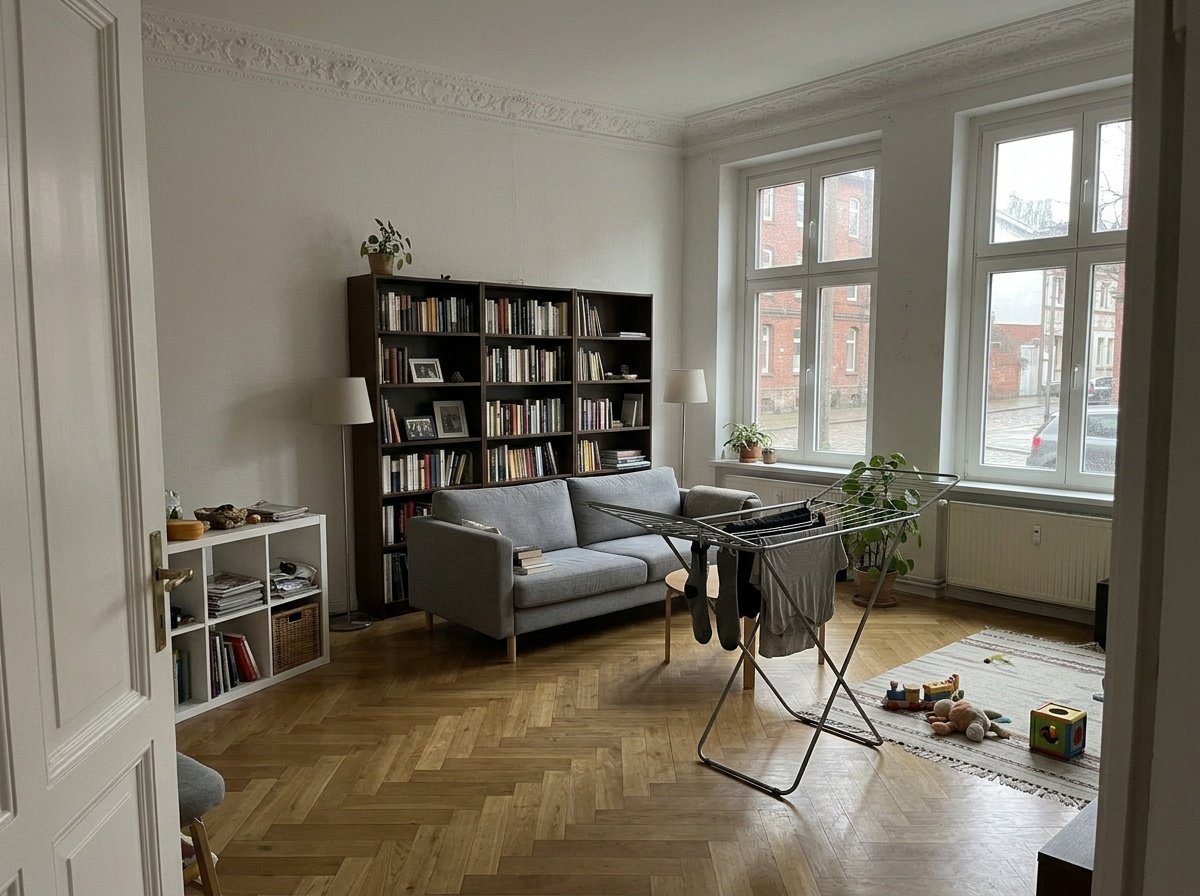
The living-room test was deliberately different.
This time we did not want to remove the furniture. We only wanted the personal belongings and everyday clutter cleaned up while keeping the room itself intact.
This exposed an important difference between tools designed for furniture removal and tools that can actually understand a simple cleanup task.
VisuGenie
VisuGenie handled the distinction correctly.
The personal belongings and mess were removed while the furniture and overall room remained in place.
The finished image looked polished and natural rather than excessively empty or redesigned.
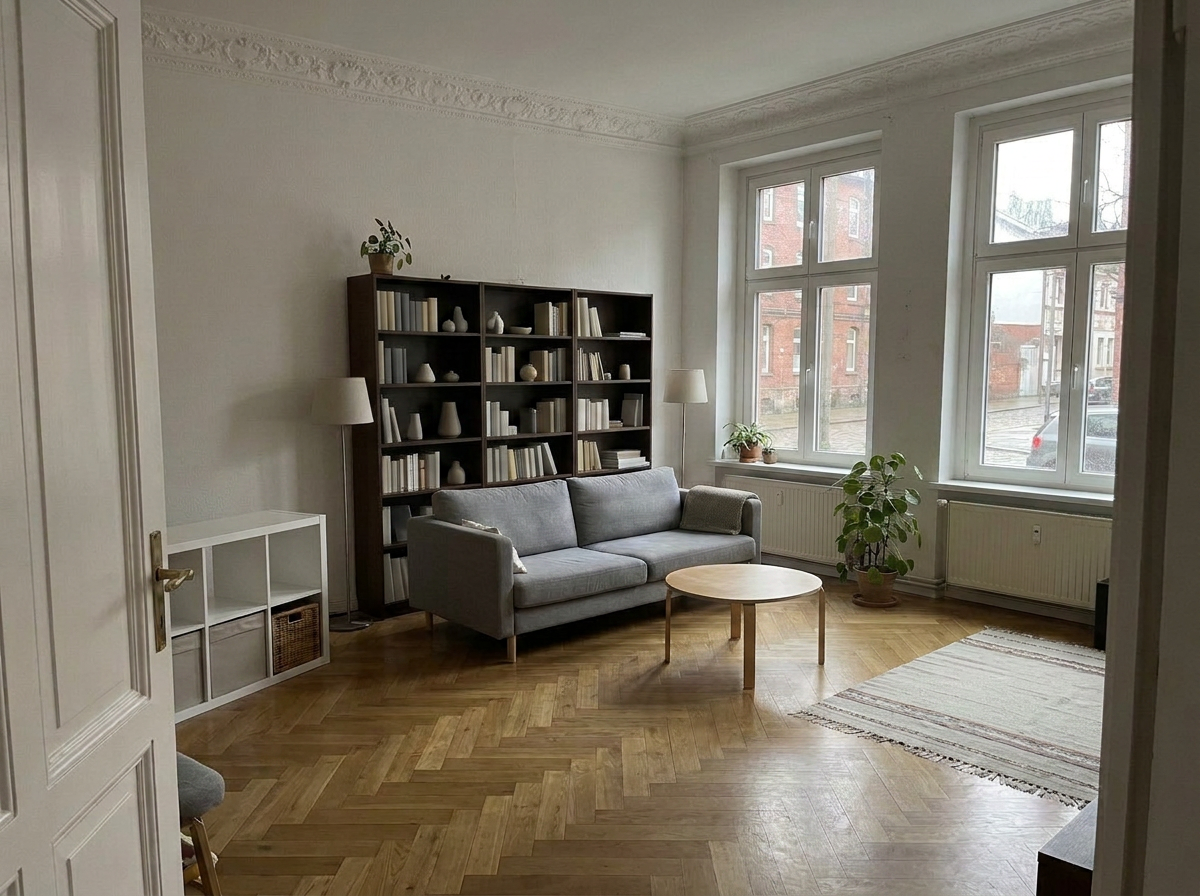
Collov
This task exposed a workflow limitation in Collov.
We could not find a clear option designed specifically to tidy the room while leaving the furniture untouched.
The available workflow felt more focused on furniture removal and larger transformations than simple property cleanup.
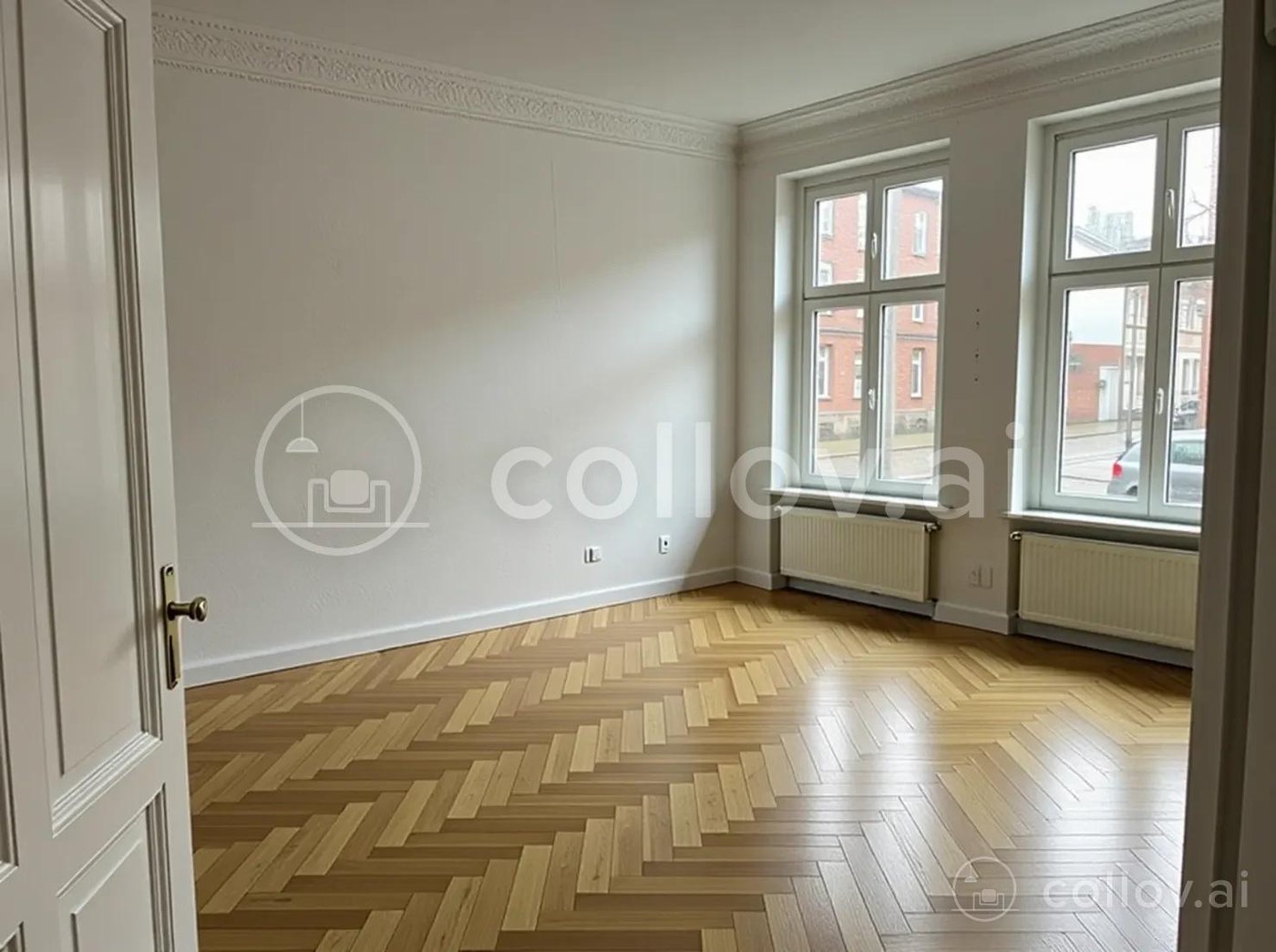
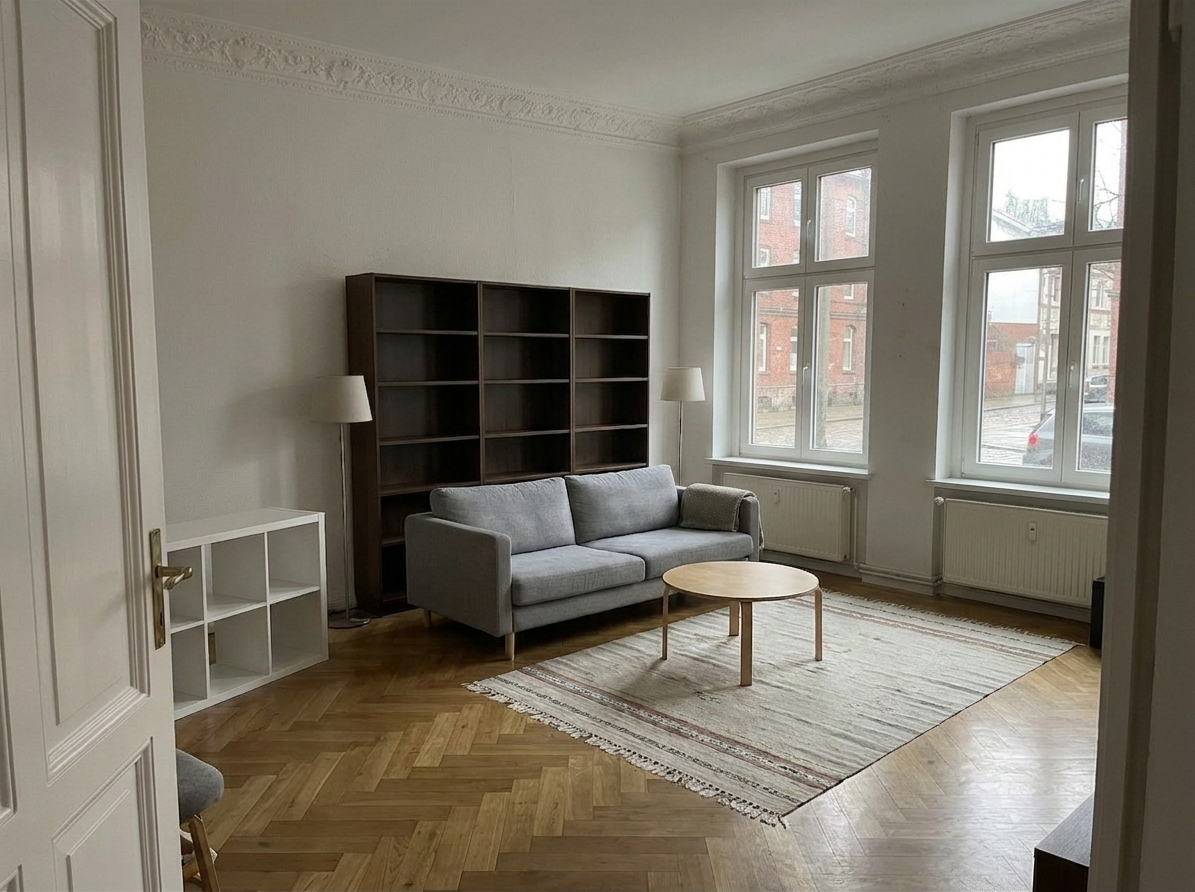
PhotoClear
The living room showed where PhotoClear worked best in our test.
When asked to simply clean the room, it removed the personal belongings while leaving the furniture in place.
For many normal property photographs, this may be exactly the type of edit an agent needs.
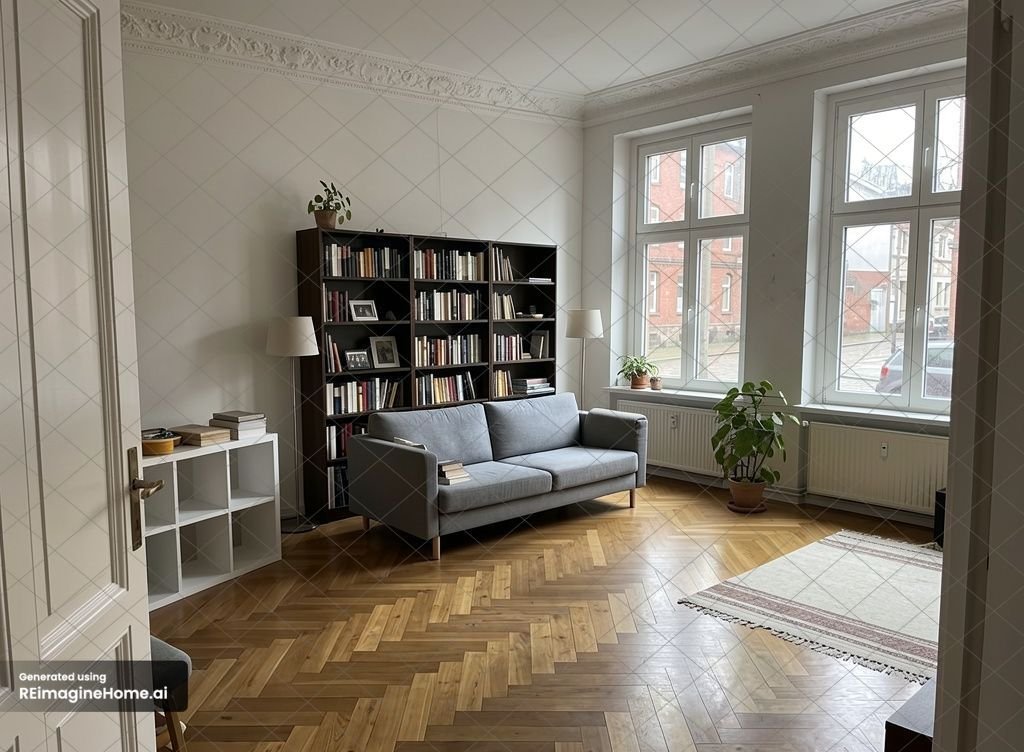
ReimagineHome
This was ReimagineHome's strongest result.
It cleaned the living room very well, retained the furniture and produced a natural-looking final image.
There was very little to complain about here, and it was one of the strongest individual outputs in the whole test.
What was each tool actually like to use?
VisuGenie was the most straightforward. The workflow is based around specific real-estate tasks, so there was little ambiguity about which feature to choose.
Collov was extremely fast, but the distinction between Furniture Eraser and Decluttering was initially less obvious. We also could not find a clear option for simply cleaning up a furnished room.
PhotoClear was probably the easiest specialist tool to understand. It offers several levels of clearing, although in our tests we saw relatively little difference between them on the difficult rooms.
ReimagineHome relied more heavily on prompting. That provides flexibility, but it also means the user needs to explain what should be removed instead of simply selecting a task.
The biggest problem with AI decluttering tools: they can change the property
This was probably the biggest lesson from the entire test.
A decluttering tool should ideally remove things.
It should not improve the property underneath them.
If the AI leaves a laundry basket behind, you can regenerate the photograph.
If it silently replaces damaged flooring with a perfect new floor, changes a window or modifies a wall, that creates a much more serious problem.
The generated image may actually look better — but it may no longer accurately represent the property.
A beautiful result is not automatically a good real-estate result.
NAR's Code of Ethics requires REALTORS® to present a “true picture” in advertising and representations, including images. NAR Code of Ethics
Individual MLS organizations can impose more specific requirements. Stellar MLS, for example, permits furniture to be removed or replaced in virtually staged interior images but prohibits alterations such as hiding damaged flooring, changing paint colors, altering permanent fixtures or distorting room dimensions. Stellar MLS rules
Rules vary between MLS organizations, so agents should always check the requirements that apply to their listings.
But there is a simple principle worth following:
If you asked the AI to remove furniture, it should remove furniture — not renovate the house.
Why AI decluttering tools often overpromise and underdeliver
Almost every AI real-estate platform can show you an impressive before-and-after demo.
That does not necessarily tell you how the tool will handle a difficult listing photograph.
The differences became much more obvious when we gave the tools an ugly basement, a heavily furnished kids room and a messy living room where we wanted to keep the furniture.
The simple “one click” promise becomes less convincing when a tool:
- leaves major objects behind;
- produces little difference between mild and aggressive settings;
- removes more than requested;
- changes floors, walls or windows;
- or requires repeated prompting and regeneration.
That does not mean AI decluttering does not work. It clearly can.
But reliability is more important than one impressive demo image.
So, what's the best tool for decluttering pictures?
Best overall: VisuGenie
VisuGenie gave us the strongest combination of ease of use, believable object removal and consistency across all three tasks. It handled full room clearing, furniture removal and simple cleanup without creating obvious unwanted changes elsewhere in our test images.
Best prompt-based alternative: ReimagineHome
ReimagineHome produced some excellent results, particularly in the living room. It is a good option if you prefer describing exactly what you want through prompts.
Best dedicated cleanup tool: PhotoClear
PhotoClear was extremely easy to use and worked particularly well when the goal was simply to remove personal belongings rather than completely clear the room.
Best for speed: Collov
Collov was very quick, but the flooring, wall and tile changes we saw mean we would carefully inspect its results before using them in a listing.
Final verdict
The biggest takeaway from this test was simple:
Do not choose an AI decluttering tool based only on what its marketing page promises.
Real-world property photographs are much less predictable than demo images.
Some tools removed too little. Others removed the right objects but also changed something that should have stayed untouched.
VisuGenie stood out because it did not just produce one spectacular image.
It was the most consistent across all three very different tests.
For real estate, that consistency matters more than getting one perfect AI generation.
The best decluttering tool is the one that reliably removes what you asked it to remove — and leaves everything else alone.
If you want to pressure-test it with one of your own listing photos, try VisuGenie.
You can also compare VisuGenie pricing.
For another workflow comparison, see VisuGenie vs BoxBrownie: Which Real Estate Visual Workflow Is Right for You?.
Sources
- Learning to Remove Furniture from Indoor Panorama arXiv Accessed Aug. 8, 2026
- 2026 Code of Ethics & Standards of Practice National Association of REALTORS® Accessed Aug. 8, 2026
- Virtually Staged Photos Stellar MLS Accessed Aug. 8, 2026