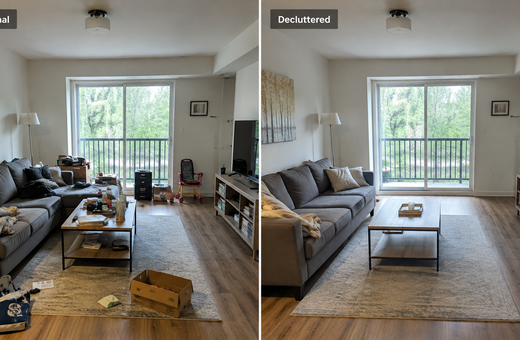
VisuGenie vs BoxBrownie: Which Real Estate Visual Workflow Is Right for You?
VisuGenie and BoxBrownie can both improve real estate visuals, but they solve the job differently. This side-by-side comparison examines pricing models, turnaround, virtual staging, photo enhancement, floor plans, renders, revisions, and the workflow each service suits best.

By the VisuGenie team · Updated August 6, 2026 · Prices and service details checked against the companies’ public websites
BoxBrownie and VisuGenie overlap across virtual staging, real estate photo editing, day-to-dusk conversion, item removal, floor plans, and property renderings. They do not, however, sell the same workflow.
BoxBrownie operates as an outsourced editing service. You upload files, describe the job, and its editing team returns the result. Its website advertises a 24-hour turnaround for most editing services, 48 hours for virtual staging, pay-as-you-go pricing, and an unlimited-change guarantee. VisuGenie is a self-service AI visual workspace: you upload an image, choose a task, review or retry the result, and download it immediately.
That distinction changes the buying decision. An agent who needs one carefully briefed virtual staging image has different priorities from a brokerage producing dozens of listing visuals, floor plans, and videos every month.
VisuGenie vs BoxBrownie at a glance
The two platforms overlap in output categories, but their operating and pricing models are fundamentally different.
| Decision factor | VisuGenie | BoxBrownie |
|---|---|---|
| Operating model | Self-service AI workspace | Human-managed editing service |
| Pricing model | Monthly or yearly subscription with included image capacity | Pay per image or project; no subscription |
| Current published entry pricing | Plans from $29 monthly or $21/month billed yearly; the site also advertises renders from $0.09 | US$2 image enhancement, US$5 day to dusk, US$30 virtual staging, US$5–US$10 item removal, US$30–US$45 floor plans, and renders from US$350 |
| Typical turnaround | VisuGenie says images usually generate in around 10 seconds | BoxBrownie advertises 24 hours for most edits and 48 hours for virtual staging |
| Revisions | Generate another result or edit a selected area inside the workspace | Submit a change request; BoxBrownie advertises unlimited virtual-staging changes requested within two months |
| Best fit | Recurring listing production, experimentation, teams, mixed photo/floor-plan/video workflows | One-off jobs, detailed briefs, human interpretation, complex architectural CGI |
| Additional workflow | Project organization, saved media, team storage, image history, video tours | Copywriting, portrait retouching, aerial editing, site plans, custom jobs |
Pricing can change, so check VisuGenie pricing and the BoxBrownie pricing page before ordering. The cleanest comparison is not a single “times cheaper” figure; it is the total cost of the workflow you will actually use.
How this comparison was tested
For the visual comparisons below, we used “before” images displayed in BoxBrownie’s public portfolio and paired them with BoxBrownie’s published “after” examples. We uploaded the same original images to VisuGenie without manually retouching them first and used the first generated result recorded in the test.
This is useful for comparing visible outcomes from the same starting image, but it is not a laboratory benchmark or a blind paid-order test. BoxBrownie’s portfolio images may represent selected showcase work, while generative AI outputs can vary between runs. The fairest way to evaluate either service for your business is to test both with photographs that reflect your normal listings.
Round 1: real estate photo enhancement
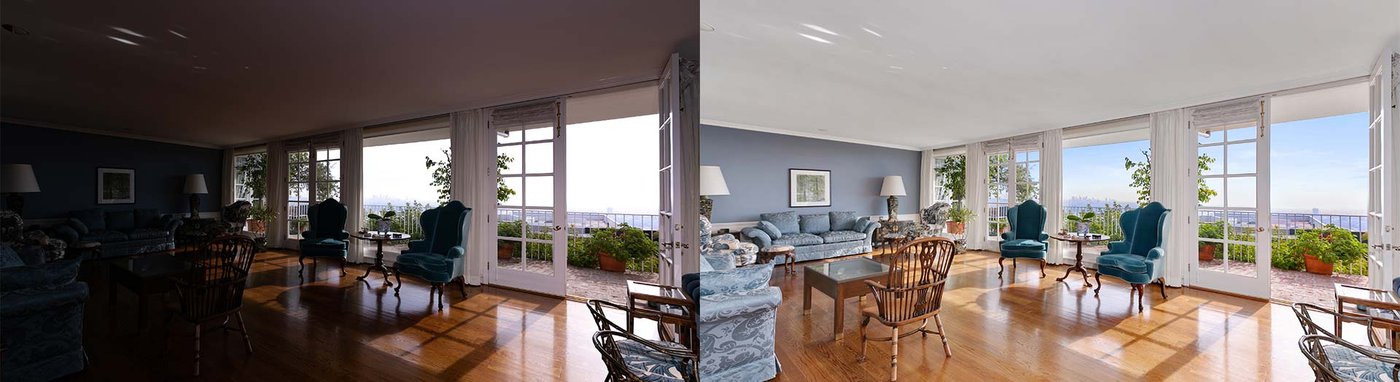
BoxBrownie describes a 17-step image-enhancement process covering white balance, sharpening, vertical correction, lens distortion, exposure, sky replacement, lawn repair, HDR bracketing, fireplace fire, TV screens, blemishes, and photographer reflections. The current page lists the service at US$2 and a 24-hour turnaround, with turning on lights offered as an optional add-on.
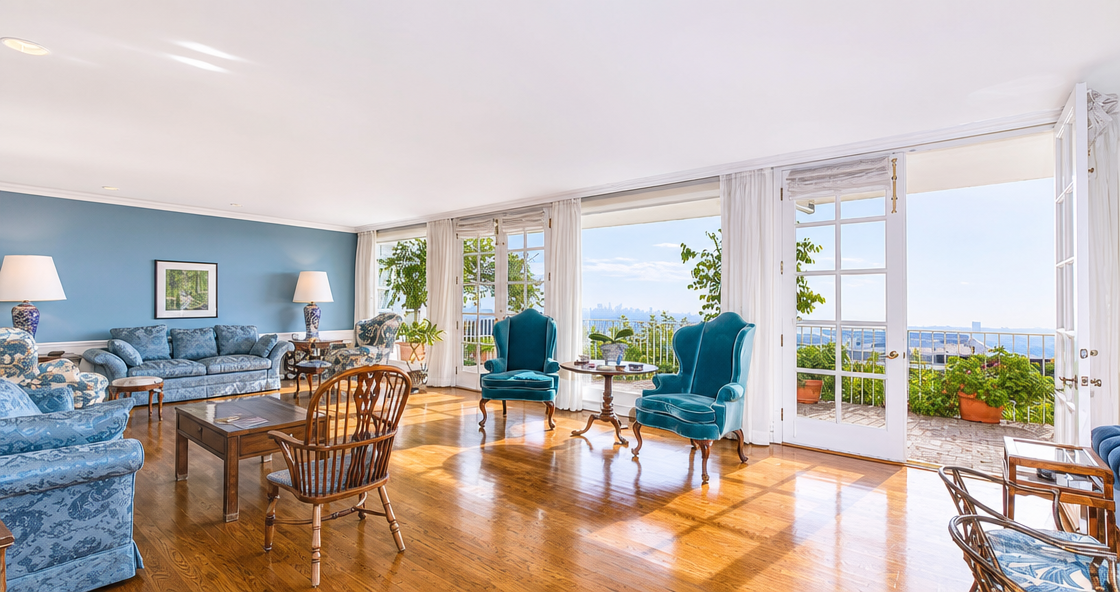
VisuGenie approaches the same category as a set of AI tasks inside one workspace. Its supported photo workflows include lighting correction, glare reduction, camera-perspective correction, decluttering, item removal, exterior enhancement, and final image improvement. It is designed for a single-photo upload rather than a human-edited bracketed-HDR delivery process.
What we saw in the comparison
Both approaches improved dark interiors, corrected the overall color balance, and made the source photos more suitable for a listing. BoxBrownie’s key advantage is the ability to process a detailed manual brief and work with bracketed exposures. VisuGenie’s advantage is immediacy: an agent can test the result, change the instruction, or move directly into another task without submitting a new order.
For severely underexposed, low-resolution, or technically difficult source files, neither workflow removes the need for quality control. AI can invent plausible-looking detail that was not captured, while manual editing cannot fully restore information that does not exist in the source.
Specific enhancement examples
The broader enhancement category includes several specific edits that agents often need on a listing photo. Below, each example gets its own short comparison so you can judge not only the headline improvement, but also the accuracy of the edited details.
Sky replacement
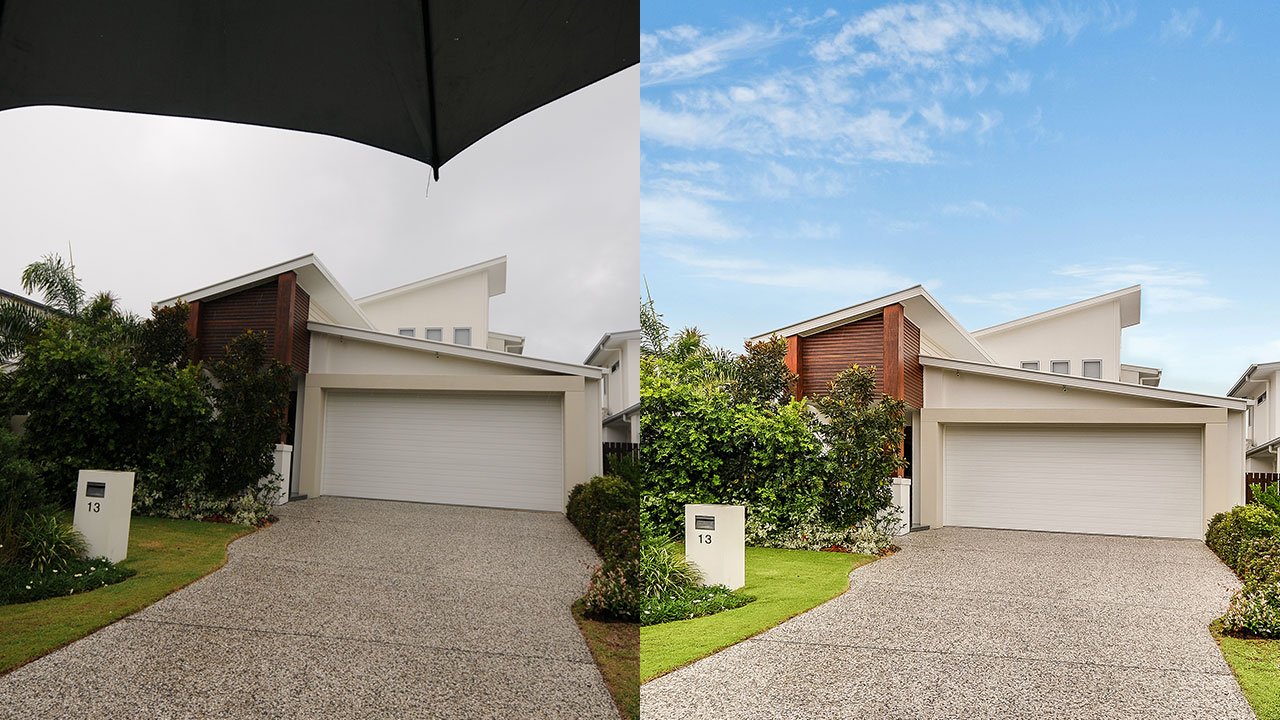
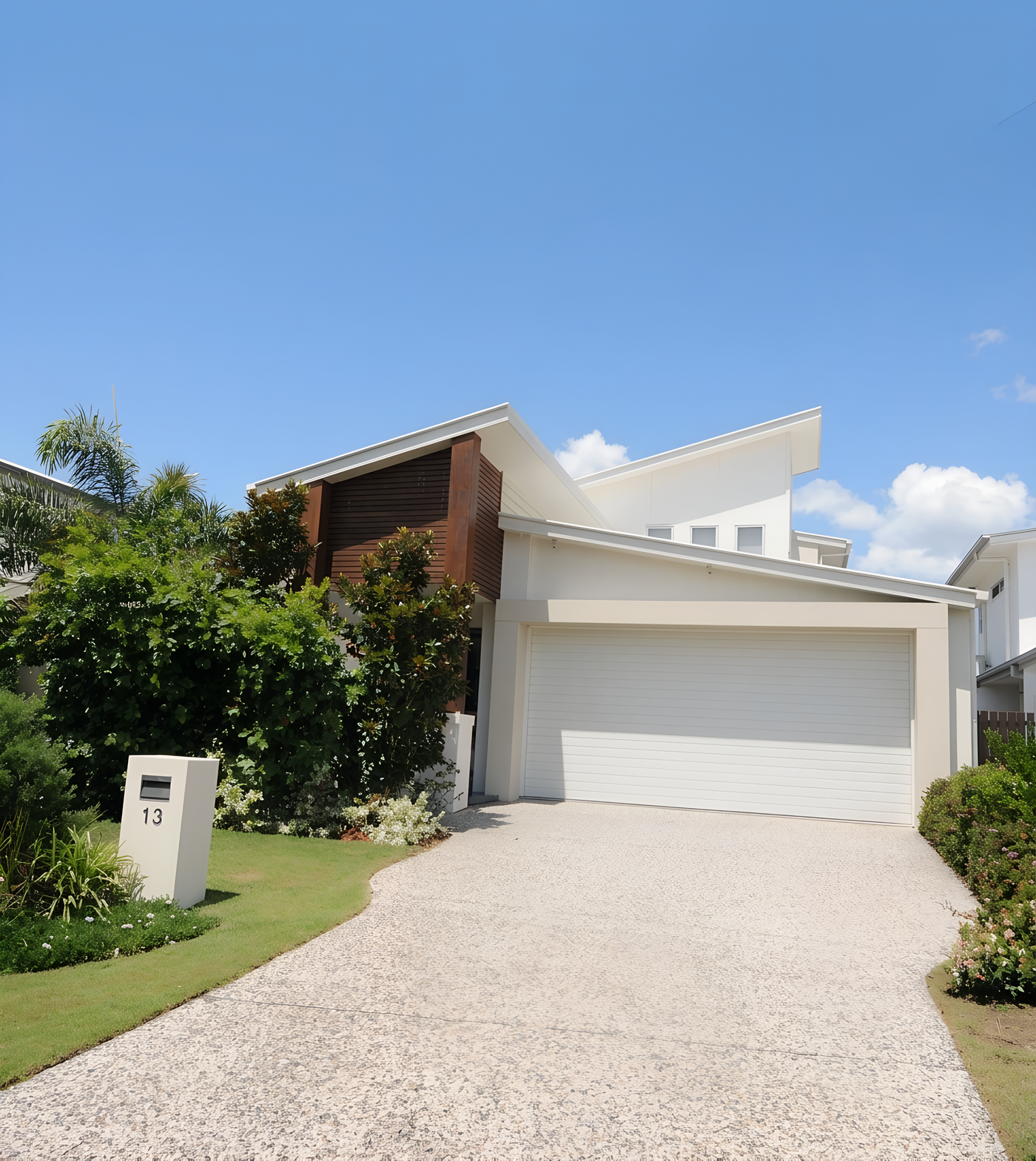
Sky replacement is one of the most common exterior fixes. In this example, the original image includes a grey rainy sky and an umbrella entering the frame. The quality check is whether the replacement sky looks natural around rooflines and trees, and whether the scene still feels believable after the weather change.
Lawn repair
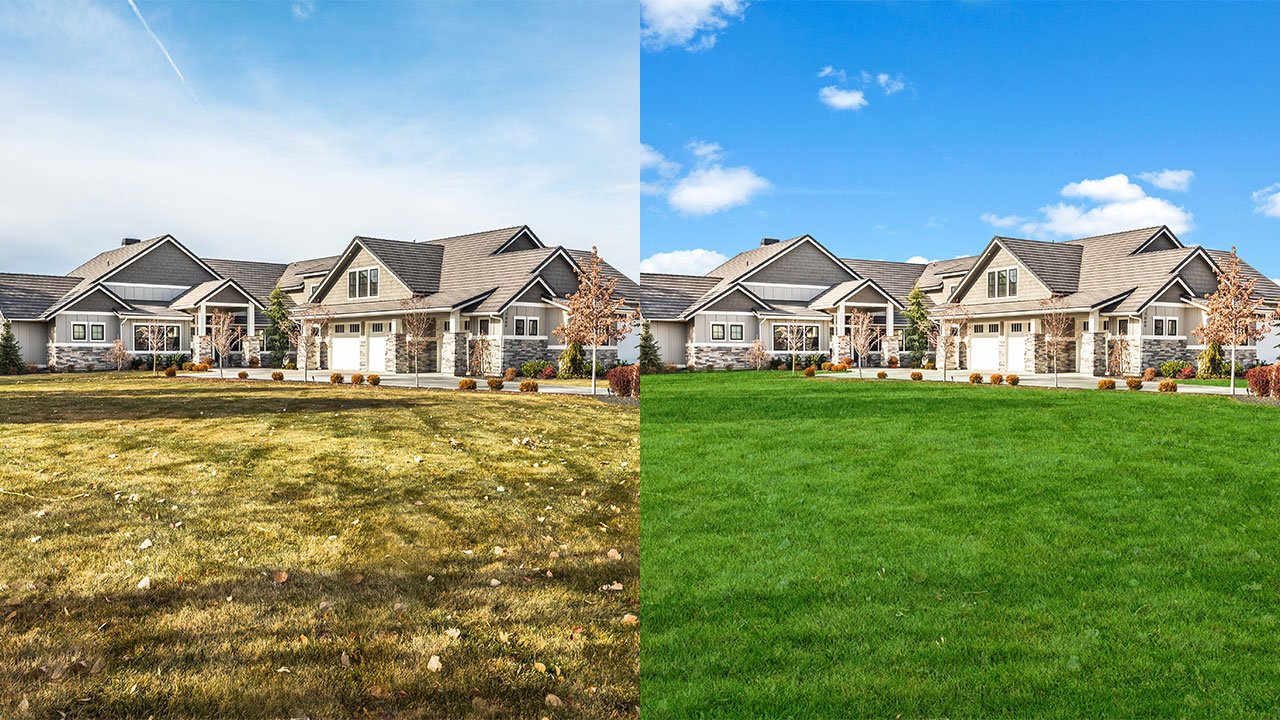
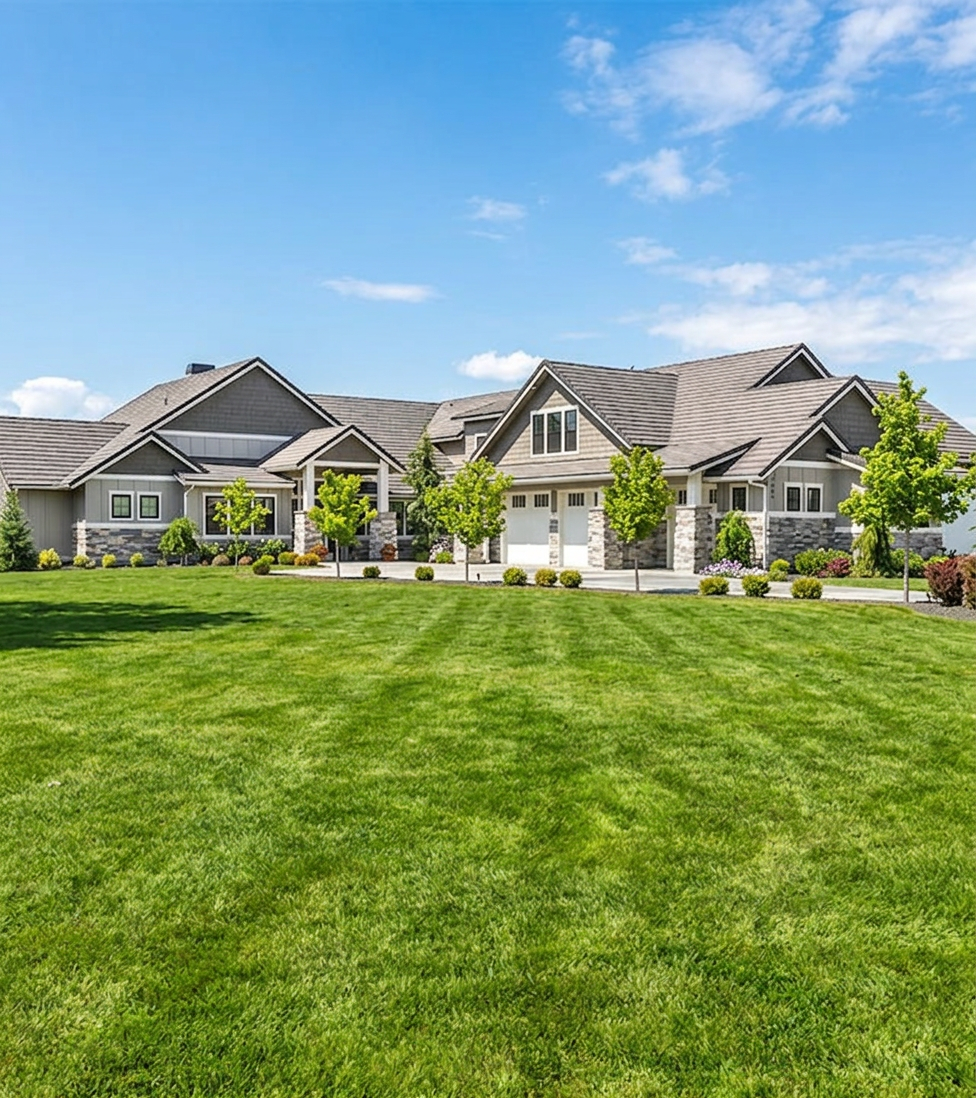
Lawn repair is a small edit that can change curb appeal quickly. The key question is whether the grass looks naturally varied or artificially painted over, especially where the lawn meets the driveway, planting beds, and hard edges around the property.
Turn on the lights
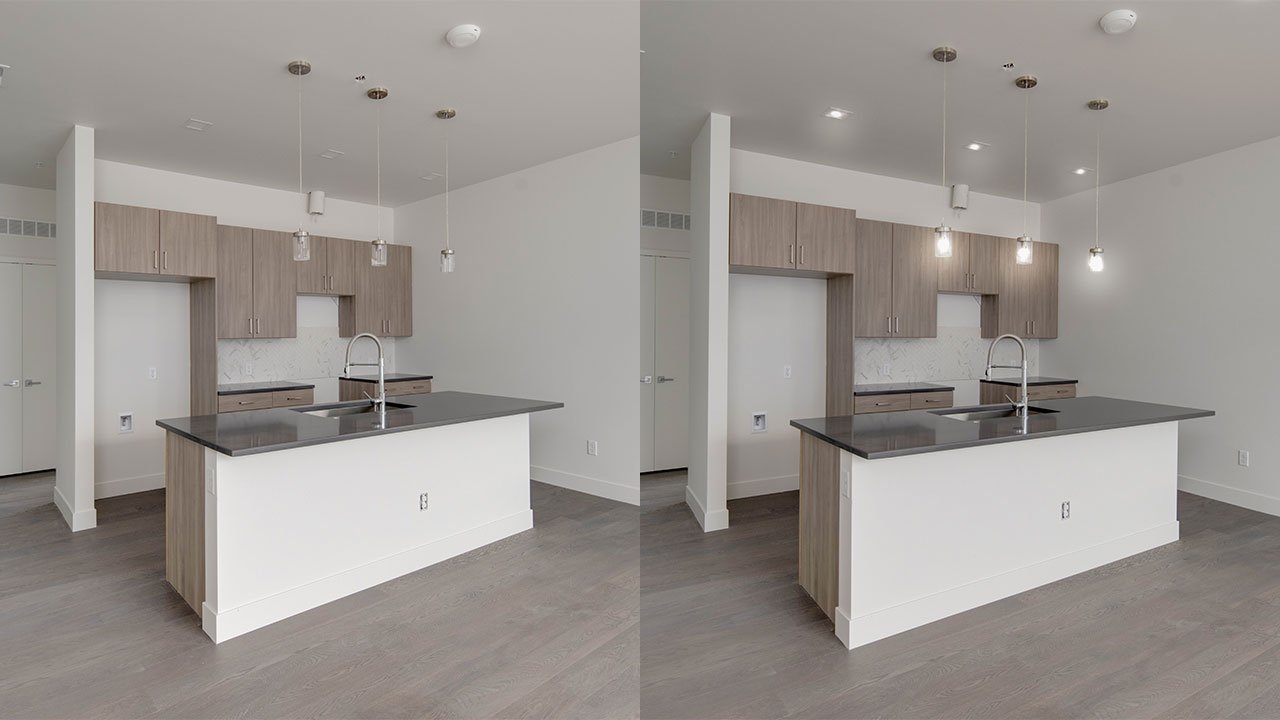
Lighting activation sounds simple, but it only works if the glow looks physically consistent with the room. Check whether the edited lights affect nearby ceilings, pendants, cabinets, and walls rather than appearing as isolated bright bulbs pasted into the image.
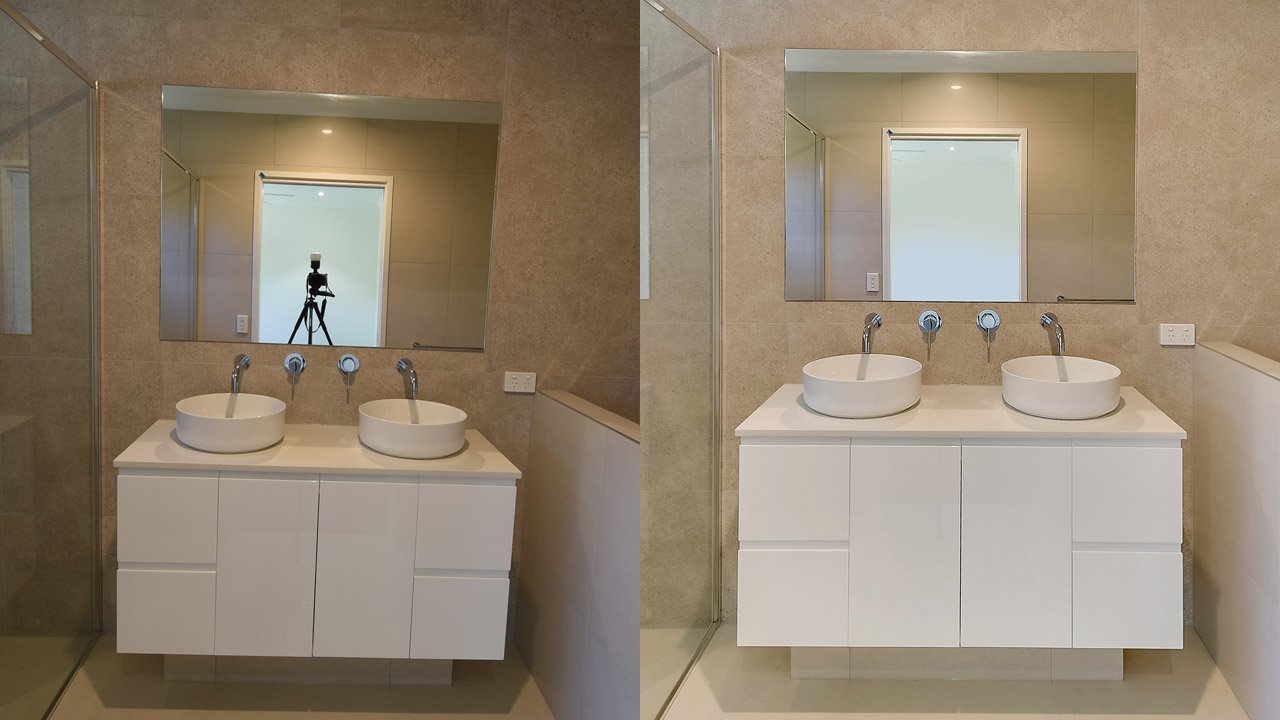
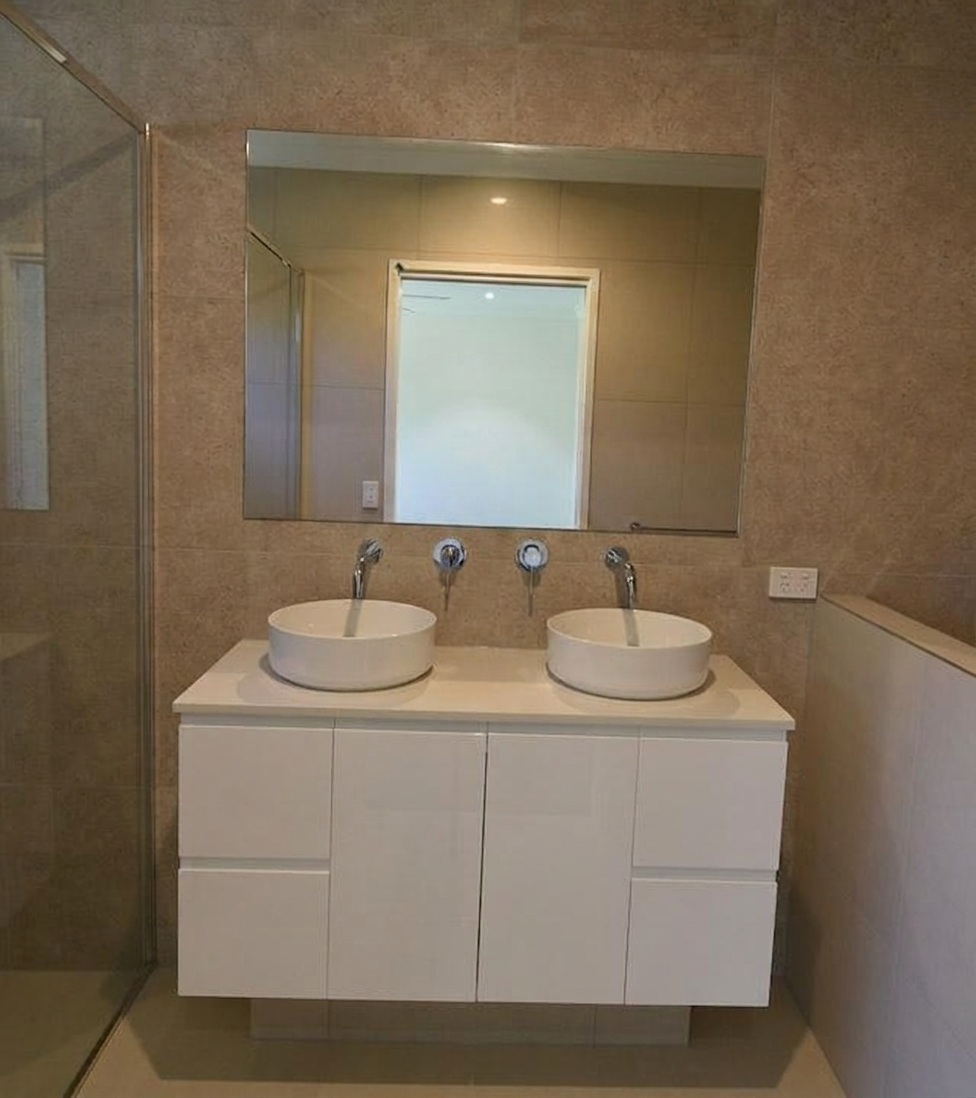
Removing the photographer’s reflection
Mirror cleanup is a good stress test because the edit has to reconstruct a believable reflection, not just erase an object. Look closely at mirror edges, sink lines, wall tiles, and whether the reflection still matches the geometry of the room after the camera or tripod has been removed.
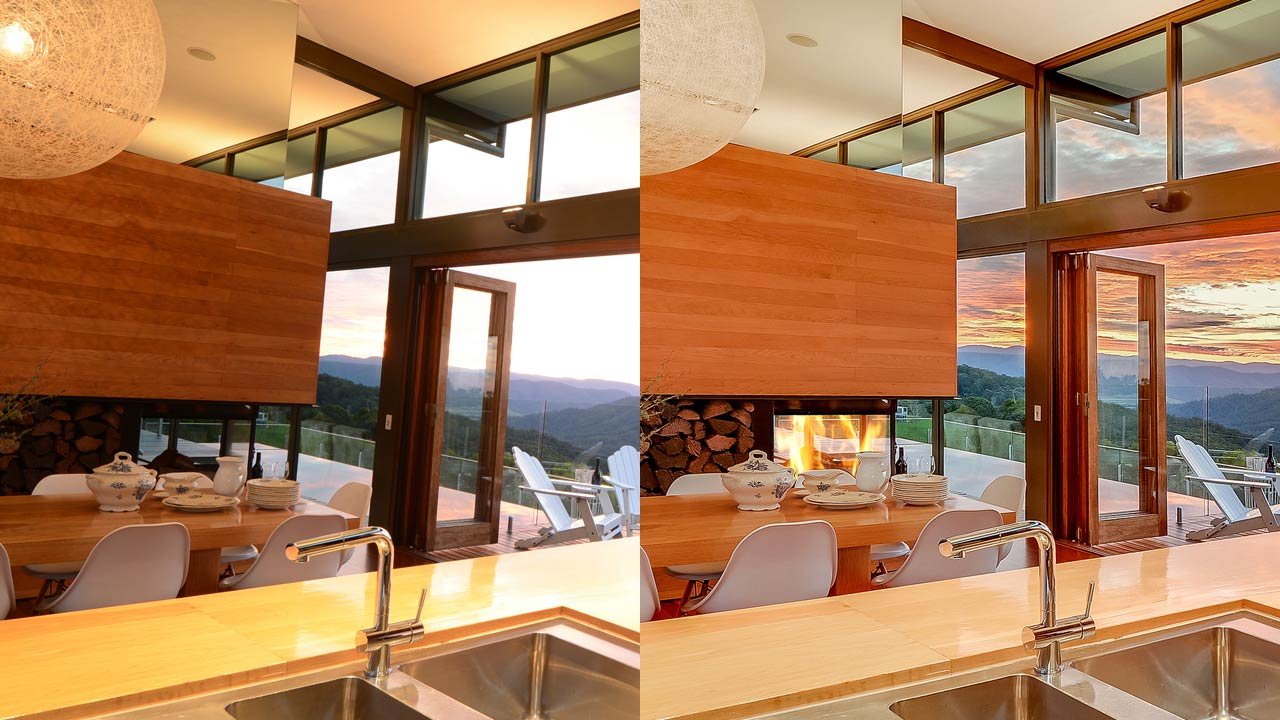
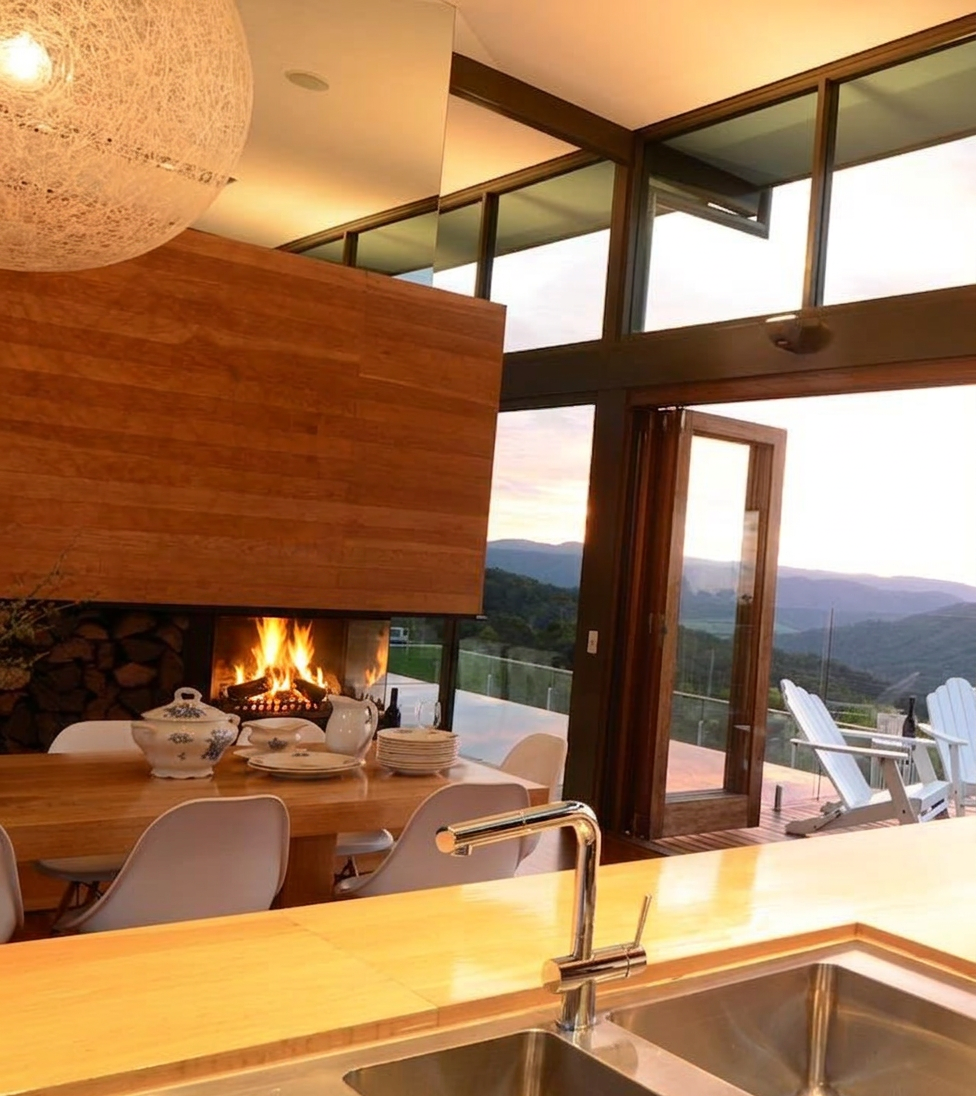
Add fire to the fireplace
Adding fire to a fireplace is a subtle lifestyle edit, but it is easy to get wrong. A believable result needs more than flames alone: the fire should cast a plausible warm glow into the room and respect the fireplace opening, surround, and nearby surfaces.
Round 2: day-to-dusk editing
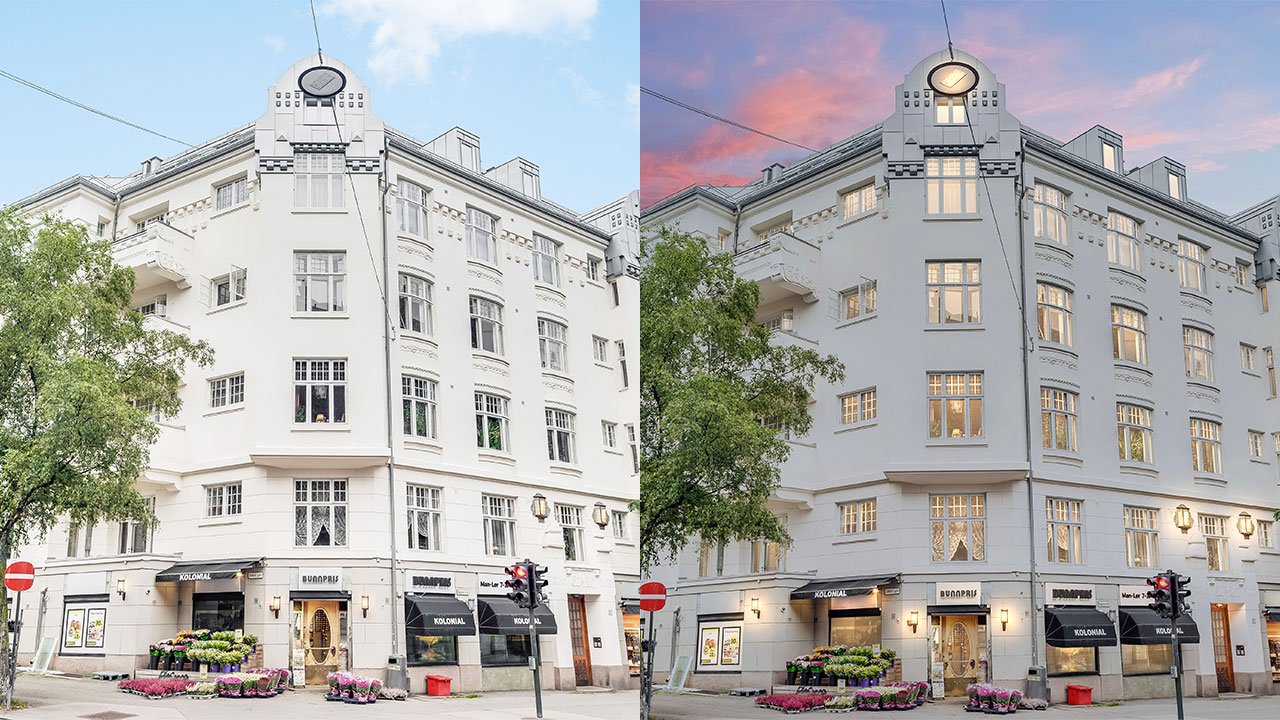
BoxBrownie’s day-to-dusk service is listed at US$5. The company describes an 18-step process that enhances the image, replaces the daytime sky, turns on lighting, and adjusts the scene to create a consistent dusk result.
VisuGenie can change exterior lighting, weather, and time of day inside the same workspace. The practical difference is iteration. With a self-service AI tool, you can quickly test a subtle blue-hour look, a warmer sunset, or a more restrained window glow. With a human editing service, you can explain the desired mood in the brief and request changes if the first delivery is not right.
In our comparison, both versions changed the full scene rather than merely pasting in a sunset sky. The relevant checks are whether façade shadows, street lighting, windows, vegetation, and sky color feel like the same time of day.

Round 3: item removal and virtual cleaning
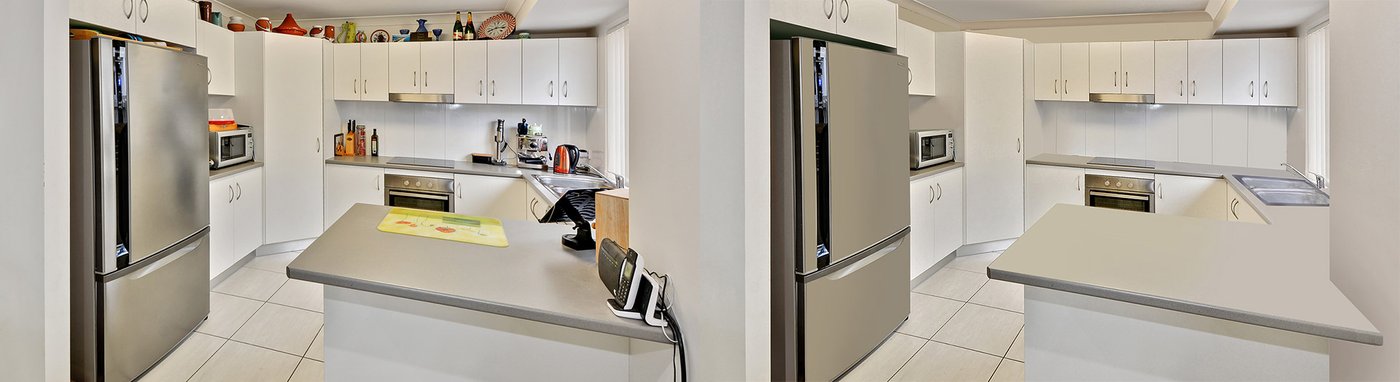
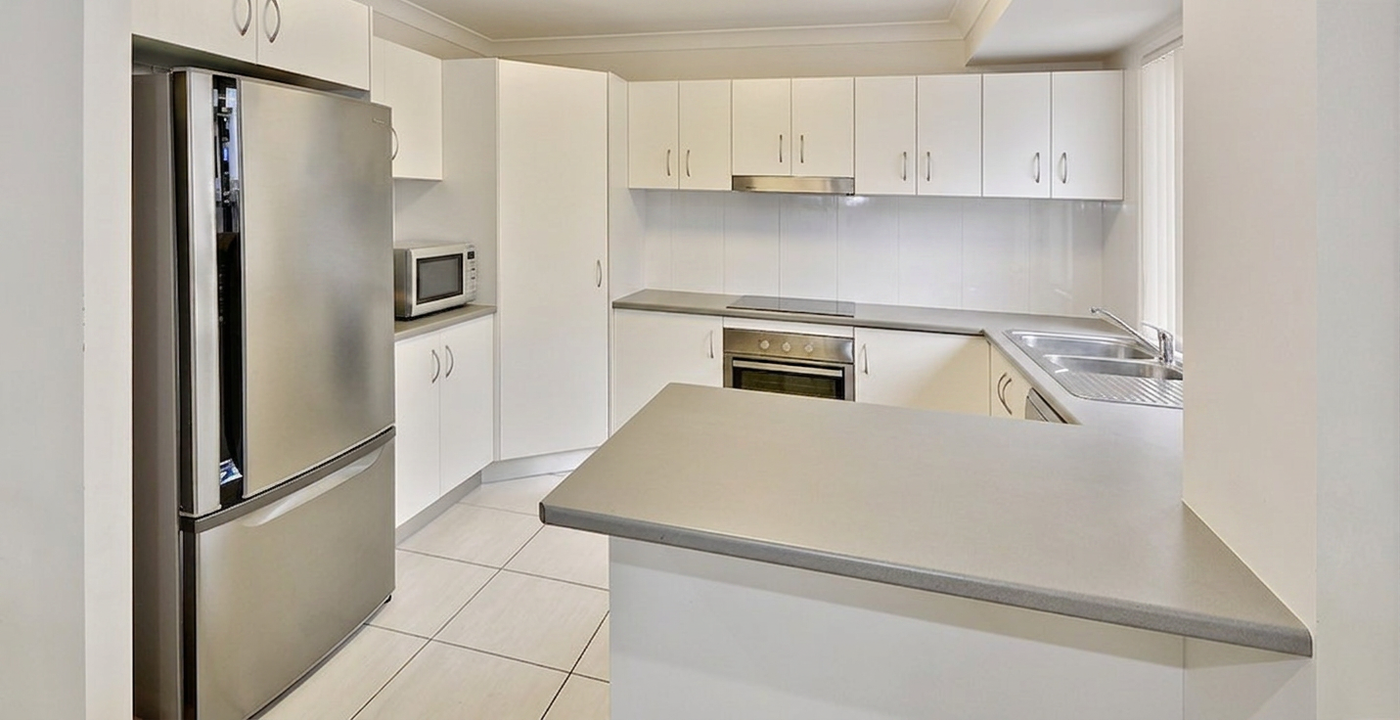
BoxBrownie’s item-removal and virtual-cleaning service is priced by complexity and advertises a 24-hour turnaround. Its published pricing lists US$5–US$10 for standard residential work. Because a human editor handles the image, BoxBrownie can ask for reference photos when it is unclear what should appear behind a removed object.
VisuGenie supports decluttering, empty-room cleanup, and selected-area editing. That makes it useful when the agent wants to remove countertop appliances, cables, personal items, or existing furniture before staging the room.
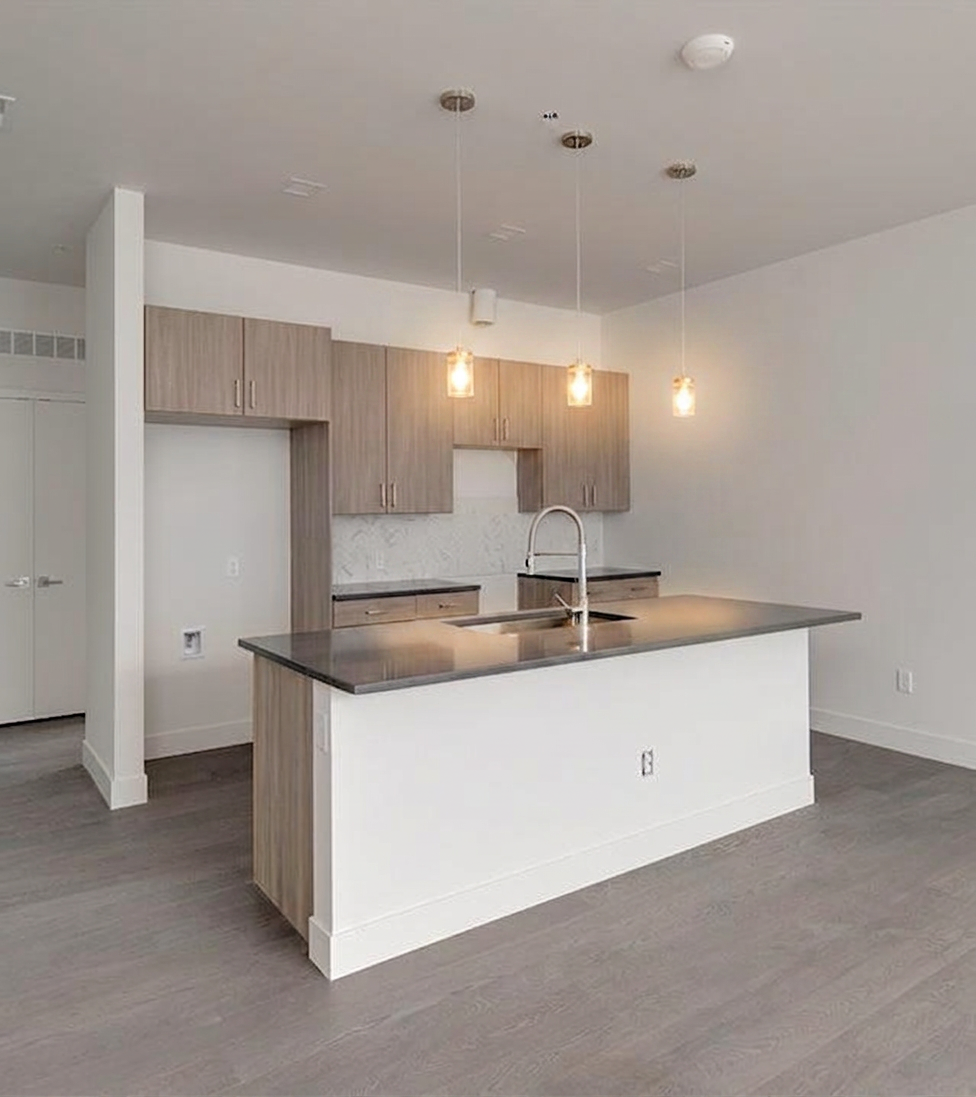
The hard part is reconstruction. Look at cabinet edges, countertop patterns, tile grout, floorboards, sockets, reflections, and shadows. If the tool removes an object but also changes a permanent feature, the image should not be used until corrected.
In the tested kitchen, both results produced a cleaner presentation. The self-service workflow made VisuGenie faster to iterate; the human-service workflow gave BoxBrownie an advantage when the hidden background required interpretation or a reference image.
Round 4: virtual staging
Virtual staging is the clearest overlap between the two services.
BoxBrownie’s virtual-staging service is pay as you go, priced at US$30 per image, and delivered within 48 hours. The company says its editors digitally scale the room, offer multiple furniture styles, accept reference images, and provide unlimited changes requested within two months of the original job.
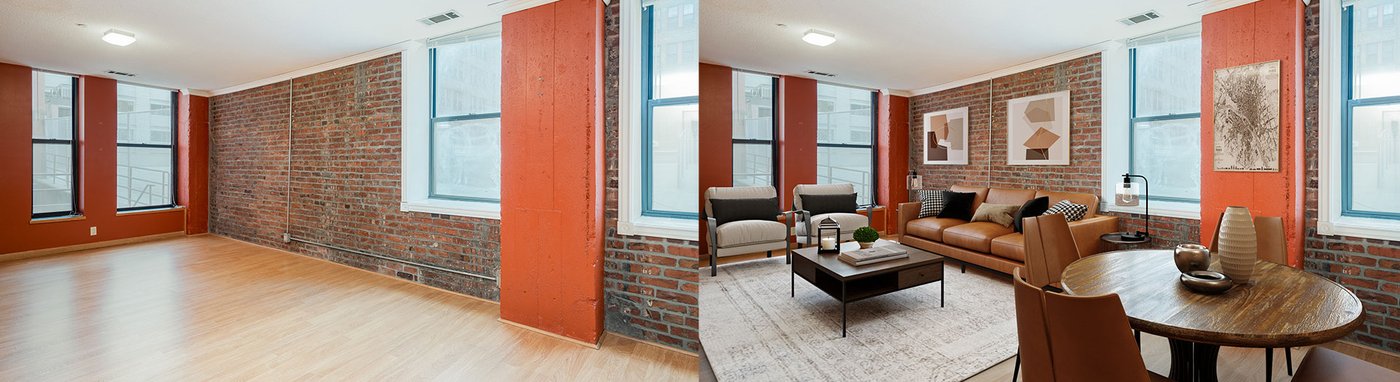
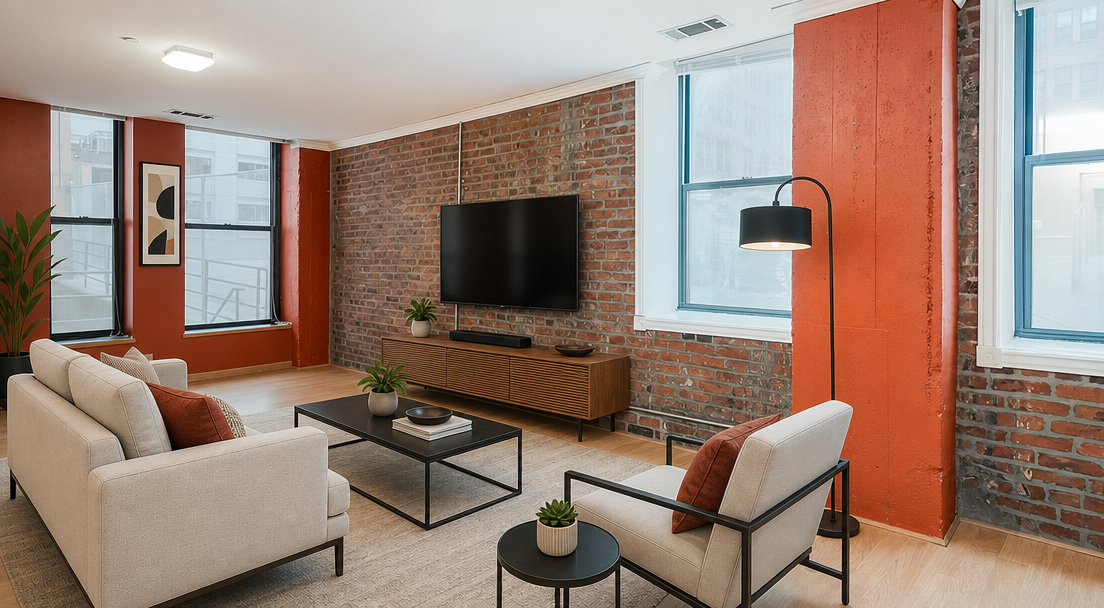
VisuGenie generates furniture and décor directly from the uploaded property photo. It supports room-specific staging and styles including modern, minimalist, Scandinavian, Japandi, industrial, modern farmhouse, bohemian, mid-century modern, coastal/Hamptons, and Provence. The user can retry the generation, change the style, remove existing furniture first, or edit a selected area.
Which virtual staging workflow is better?
Use BoxBrownie when a human needs to interpret a detailed brief, match references closely, or manage a one-off image for you. The revision policy also has real value when a client may request several changes after delivery.
Use VisuGenie when you want to explore several layouts or styles immediately, produce staging regularly, or continue from the staged image into another listing asset. The economics improve as you use more of the included monthly image capacity.
In the tested loft, both approaches created a plausible furnished room. The editorial judgment should focus on scale, walkways, door access, perspective, shadows, and whether the furniture respects the actual architecture. A visually attractive result is not acceptable if it narrows a doorway, moves a window, changes the ceiling, or invents permanent features.
Round 5: floor-plan services
BoxBrownie offers a traditional floor-plan redraw service. Its published pricing lists US$30 for a black-and-white 2D plan, US$35 for color or textured 2D plans, and prices from US$40 for more complex floor/site combinations and 3D work. Most standard redraws are delivered within 24 hours, while complex or 3D plans may take 48 hours.
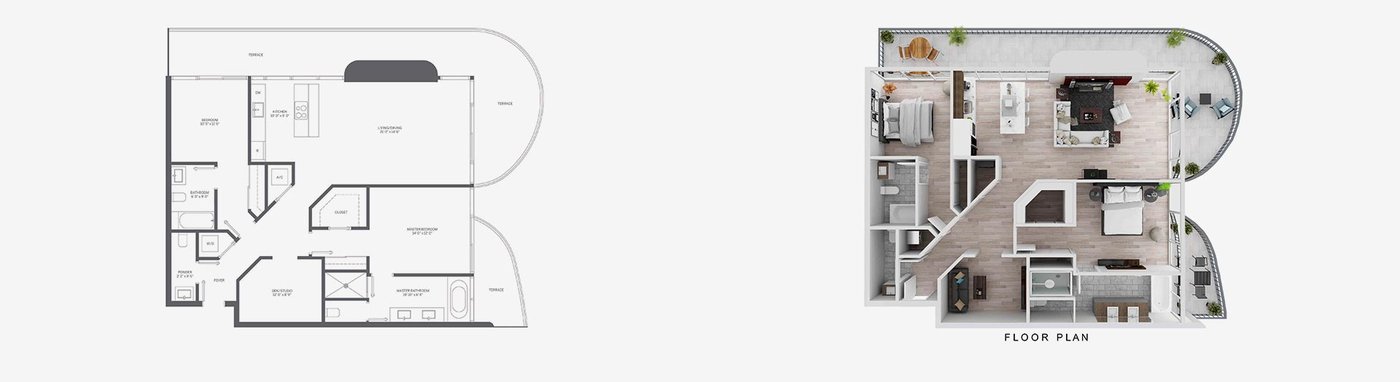
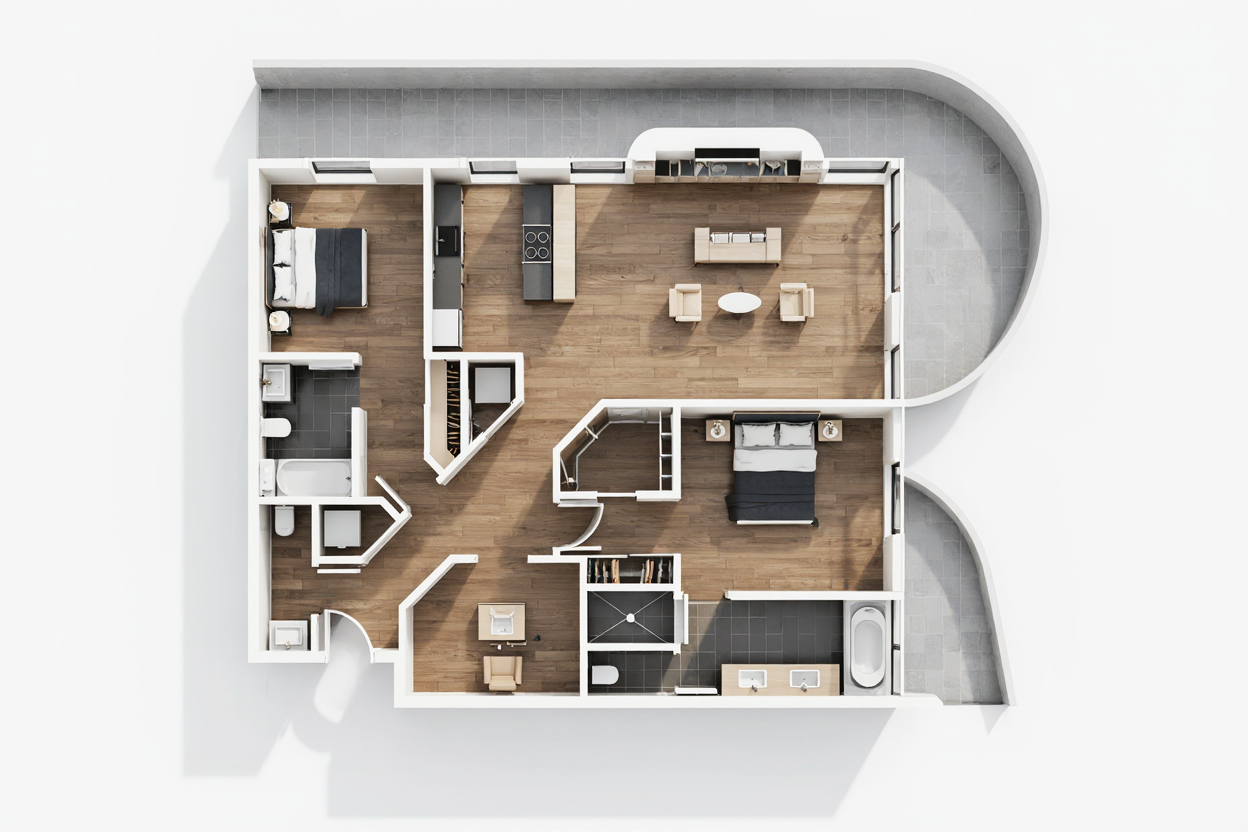
VisuGenie’s workflow starts with cleaning a hand-drawn or technical floor plan, can add furniture to a 2D plan, and can turn a furnished 2D plan into a 3D visualization. This is useful for quickly converting an agent’s sketch into a presentation asset and then testing different visual styles.
The important limitation is accuracy. A marketing floor plan should be checked against the source dimensions, room labels, door swings, windows, stairs, and wall layout. Neither an attractive 3D result nor a clean redraw should be treated as a measured survey unless it was produced from verified measurements.
Hand-drawn plans
A pencil sketch is a realistic input for agents, but it can contain ambiguity. BoxBrownie’s editor can interpret the sketch and ask for clarification through the job process. VisuGenie can clean and visualize it immediately, which is useful for drafts and client conversations, but the user remains responsible for checking the final geometry.
Round 6: real estate renderings
This is where the original “same service, different price” framing breaks down.
BoxBrownie’s residential rendering service creates architectural CGI from plans, elevations, DWG files, design briefs, and references. The published pricing lists interior and exterior renders from US$350 and states that a typical 3D render takes around two weeks, depending on complexity.
VisuGenie can turn a technical drawing, 3D model view, or raw visualization into a client-ready image, with options such as photorealistic, 3D-rendered, watercolor, or sketch styles where supported. This is best understood as rapid AI visualization from an existing source image or model view, not a substitute for every detailed architectural-CGI commission.
Choose BoxBrownie when dimensional fidelity, precise material specification, multiple buildings, aerial context, or a detailed developer brief requires a managed rendering project. Choose VisuGenie when you already have a technical image or 3D-model screenshot and need a fast visual direction, client presentation, alternative style, or pre-sale concept image.
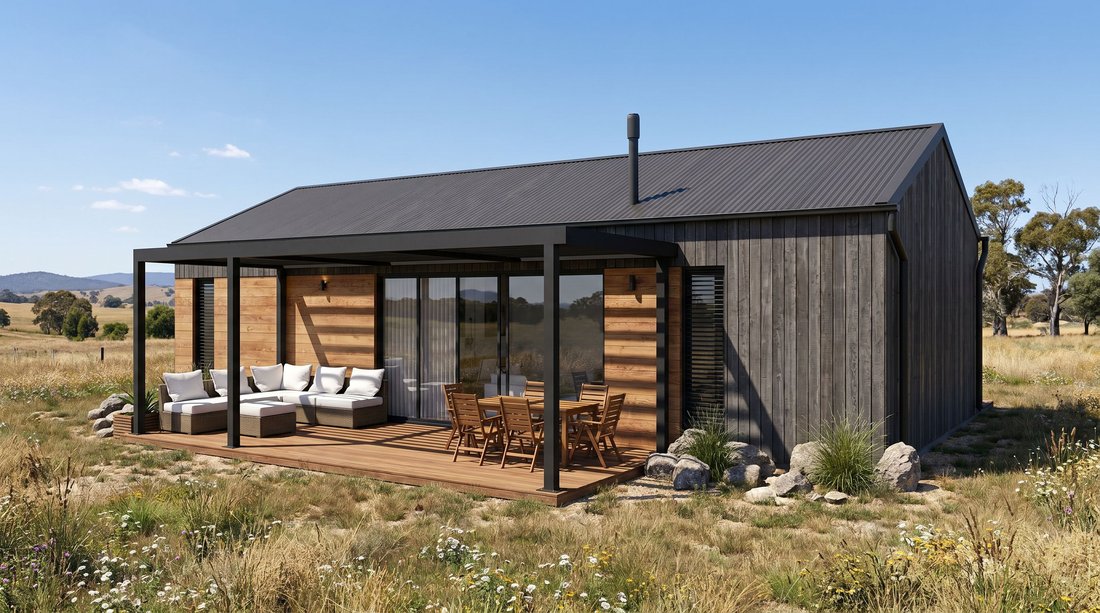 After
After
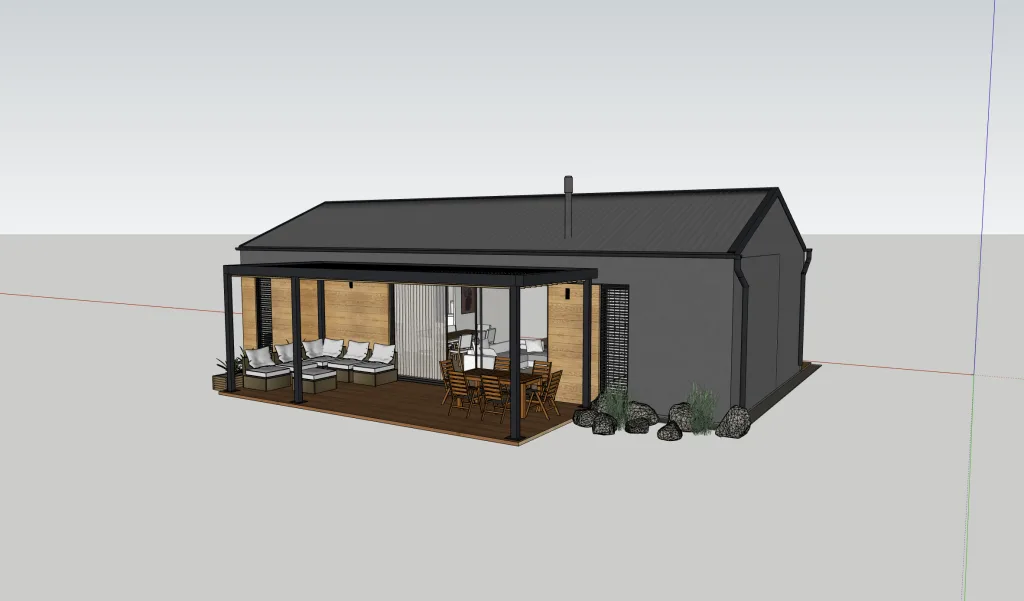 Before
Pricing: compare the workflow, not only the headline price
The two pricing models reward different usage patterns.
VisuGenie’s public pricing page currently shows:
- Part-Time: 80 images per month; $29 monthly or $21/month billed yearly, shown as $0.26 per included image on the annual plan.
- Solo Realtor: 200 images per month; $69 monthly or $41/month billed yearly, shown as $0.21 per included image on the annual plan.
- Small Brokerage: 500 images per month; $139 monthly or $99/month billed yearly, shown as $0.20 per included image on the annual plan, with team management.
- Large Brokerage: 1,200+ images per month with custom pricing.
The VisuGenie website also advertises renders “from $0.09,” so readers should check what task and plan that starting figure applies to. The same public FAQ states that unused credits roll over and do not expire.
BoxBrownie charges for each delivered image or project. That is attractive when you need only a few jobs and do not want another subscription. It becomes more expensive as the number of listing images and edit types increases, but the fee includes human handling, quality control, customer service, and the stated revision policy.
Example: a recurring listing workflow
Consider an agent who produces 40 finished outputs in a month across enhancement, virtual staging, cleanup, and dusk versions.
With VisuGenie, 40 outputs fit inside the 80-image Part-Time plan. On the annual plan, the published allocation is $0.26 per included image, so those 40 outputs consume $10.40 of the plan’s included capacity, although the actual monthly cash payment is $21 and the remaining capacity rolls forward according to VisuGenie’s published policy.
With BoxBrownie, the cost depends on the mix. Forty image enhancements would be US$80 at the published price used in this review. Replacing some of those with virtual staging, item removal, floor plans, or renders raises the total because each service has a different price.
This is why a single claim such as “69 times cheaper” is not robust. The answer changes with currency, plan term, unused capacity, number of retries, edit mix, and whether the value of human revisions is important to you.
What real users tend to care about
Community discussions are anecdotal, but they reveal the practical objections buyers bring to this category.
Some real estate photographers report inconsistent outsourced edits or slow revision cycles and ask for alternatives to BoxBrownie. Others describe BoxBrownie as useful but not their first choice for time-sensitive day-to-dusk or virtual-staging work. Realtors also continue to recommend human virtual-staging services when they want a polished result without managing the generation themselves. See the relevant discussions on r/RealEstatePhotography, another editor-service discussion, and r/realtors.
The recurring decision criteria are:
- Consistency: Does the service preserve walls, windows, doors, dimensions, and materials?
- Control: Can you specify the exact change, and how quickly can you correct a mistake?
- Turnaround: Do you need the image now, today, or within two days?
- Volume: Is this a one-off job or a repeated listing-production workflow?
- Delegation: Do you want to operate the tool, or hand the job to someone else?
Where VisuGenie is the better fit
VisuGenie is likely the better option when:
- You create virtual staging, property-photo edits, floor-plan visuals, or video content every month.
- You want to review and retry results immediately rather than wait for a delivery.
- You need several versions for a seller, developer, or marketing campaign.
- You want one workspace for photo enhancement, decluttering, renovation concepts, exterior changes, floor plans, technical visualizations, and video tours.
- A brokerage needs projects, stored media, image history, and team-scoped organization.
You can review the full VisuGenie feature set and compare the available VisuGenie plans.
Where BoxBrownie is the better fit
BoxBrownie is likely the better option when:
- You need only occasional edits and prefer pay-per-job pricing.
- You want a human editor to interpret a detailed brief or reference images.
- You need a complex architectural render produced from plans and design documentation.
- You want adjacent outsourced services such as copywriting, aerial editing, portrait retouching, or custom jobs.
- You value a managed revision process more than immediate self-service iteration.
BoxBrownie’s human workflow is not simply a slower version of AI. For some projects, the editor, briefing process, customer service, and revision policy are the product.
A five-question decision checklist
Before choosing a virtual staging service or real estate photo-editing workflow, answer these questions:
- How many finished images will we create in a normal month?
- Do we want an employee or agent to operate the tool, or do we want to outsource the job?
- How often do sellers request a different style, layout, sky, or object change?
- Are we producing marketing visuals from existing images, or technically precise CGI from architectural plans?
- Who will check every result for property accuracy before it goes into the listing?
If you need recurring, immediate, multi-format production, the self-service model is usually more efficient. If you need occasional, highly specified work and prefer to delegate, a human editing service may be worth the higher per-job cost.
The bottom line
VisuGenie is the stronger choice for recurring self-service production. It gives real estate professionals one place to generate and iterate virtual staging, listing-photo improvements, cleanup, floor-plan visuals, technical visualizations, and videos.
BoxBrownie is the stronger choice for delegated human editing and complex brief-driven projects. Its pay-as-you-go model, editor involvement, customer support, and virtual-staging revision policy make sense when you do not want to manage the production yourself.
The most useful test is not to compare marketing claims. Use one of your normal listing photos, define what “acceptable” means before you begin, and compare the outputs for architectural accuracy, realism, time spent, revision effort, and total cost.
Try VisuGenie with a real listing image →
Upload a photo, choose a task, review the result, and decide whether the self-service workflow fits your business. No credit card is required for the public free trial according to the VisuGenie website.
For more practical guidance on real estate visualization and virtual staging, continue with the VisuGenie topic hub.
Is VisuGenie cheaper than BoxBrownie?
For repeated image production, VisuGenie’s included-image subscription pricing can produce a much lower allocated cost per output than BoxBrownie’s pay-per-image services. For one or two occasional jobs, BoxBrownie’s pay-as-you-go model may be more economical because it does not require a subscription. The answer depends on volume, plan term, edit mix, and how much of the included capacity you use.
Is BoxBrownie an AI tool?
BoxBrownie presents itself as a professional editing service with a global team of human editors and quality control. VisuGenie is a self-service AI workspace in which the user generates and reviews the result directly.
Which is better for Box Brownie virtual staging alternatives?
VisuGenie is a strong Box Brownie virtual staging alternative for agents and teams that want immediate generation, multiple styles, repeated iterations, and additional listing-visual tools in the same workspace. BoxBrownie remains attractive when you want an editor to manage the job and accept detailed references or revision requests.
Which is better for day-to-dusk images?
VisuGenie is better when speed and rapid experimentation matter. BoxBrownie is better when you want a human editor to follow a detailed brief and manage the complete edit for you. Whichever service you use, check that the sky, shadows, windows, exterior lights, and ambient color describe the same time of day.
Can VisuGenie replace a professional architectural rendering service?
Not in every case. VisuGenie can create client-ready visualizations from technical images, drawings, and 3D-model views. A complex, dimensionally precise CGI project built from DWG files, elevations, material schedules, landscaping plans, and a detailed brief is a different service and may still require a specialist rendering team such as BoxBrownie’s.
Do virtually staged images need to be labeled?
Rules vary by MLS, portal, brokerage, and jurisdiction. A safe operational policy is to disclose virtual staging and material digital alterations, retain the unedited original, and avoid changing permanent property features. Check the rules that apply to the listing before publication.
Sources
- BoxBrownie.com homepage BoxBrownie.com Accessed Aug. 6, 2026
- BoxBrownie pricing BoxBrownie.com Accessed Aug. 6, 2026
- BoxBrownie Image Enhancement BoxBrownie.com Accessed Aug. 6, 2026
- BoxBrownie Day to Dusk BoxBrownie.com Accessed Aug. 6, 2026
- BoxBrownie Item Removal & Virtual Cleaning BoxBrownie.com Accessed Aug. 6, 2026
- BoxBrownie Virtual Staging BoxBrownie.com Accessed Aug. 6, 2026
- BoxBrownie Floor Plan Redraws BoxBrownie.com Accessed Aug. 6, 2026
- BoxBrownie Residential Renders BoxBrownie.com Accessed Aug. 6, 2026
- VisuGenie VisuGenie Accessed Aug. 6, 2026
- VisuGenie pricing section VisuGenie Accessed Aug. 6, 2026
- Editing company with 24 hour turnaround? Reddit — r/RealEstatePhotography Published April 30, 2025 Accessed Aug. 6, 2026
- Best RE photo editor website Reddit — r/RealEstatePhotography Accessed Aug. 6, 2026
- Your favorite Virtual Stagers Reddit — r/realtors Published March 1, 2025 Accessed Aug. 6, 2026